Loading...

Vector model for logos and illustrations · Ideogram Vector 1.0

Describe a logo in words, get back an SVG where every color and shape is editable

Describe the logo you want to Ideogram Vector, or upload an image you already have, and it returns a vector file (SVG) where every shape and letter can be edited on its own. Through the API, creating from text starts at $0.13 per image, and converting an existing image costs $0.10 per image. Here is a developer who replaced their service's logo for $1.60 on launch day, along with the maker's own demos.

Oct 23, 2026·2 cases

Ideogram's 96-second launch video on YouTube, 'Introducing Ideogram Vector: Frontier AI Vector Design'
Ideogram's official launch video. Source: Ideogram YouTube

AI image generator Ideogram released Ideogram Vector 1.0 on October 22. Its launch post on X drew about 250,000 views and 1,019 bookmarks within a day. The same day, Jangho Hwang, a Berlin developer who runs several services, wrote "당분간은 로고 디자인 할 때 쓸 예정. 이미 내 서비스 하나 로고를 Ideogram Vector 써서 바꿨다." ("For now I plan to use it for logo design. I've already changed the logo of one of my services with Ideogram Vector.")

Ideogram Vector is Ideogram's first model built only for vectors. In the Ideogram web app, you type what you want into the 'Create a vector' menu, or upload an image you already have to the 'Vectorize an image' menu. It is also available through the Ideogram API and on other platforms such as fal, a service that offers AI models through an API.

The output isn't a picture made of dots (pixels). It's an SVG file built from shapes and text, so you can open it in Figma, Illustrator, or Inkscape and edit colors and shapes one at a time. You won't get this kind of file from Ideogram's regular image generation menu, whether you pick PNG or write 'vector' in your prompt.

Reference 01Jangho Hwang, a Berlin developer who runs several services · X

$1.60 to give a live service a brand-new logo

Hwang first described the logo concept they wanted to Claude and got back four prompts for Ideogram Vector. They generated four drafts from those prompts, picked a favorite, and then ran one more round with the setting that returns four images at once (num_images: 4). The post doesn't say what they entered for that round. Finally, they edited the SVG file, without saying which tool they used or what they changed. Hwang wrote that settling on one logo cost $1.60 in total.

In an earlier post the same day, Hwang shared four SVG drafts with Korean lettering and wrote "한글 사용시 quality: high 필수" ("quality: high is a must when using Hangul"). At high quality, each image costs $0.20. Hwang said the $30 in credits used to test the model were provided to them, but didn't say by whom.

The service logo Jangho Hwang posted on X after redesigning it with Ideogram Vector
The logo Hwang said they redesigned with Ideogram Vector. Source: Jangho Hwang on X

Reference 02Official demo from the maker · Ideogram model page

The maker's own demos: lettering logos, stickers, and existing images turned into vectors

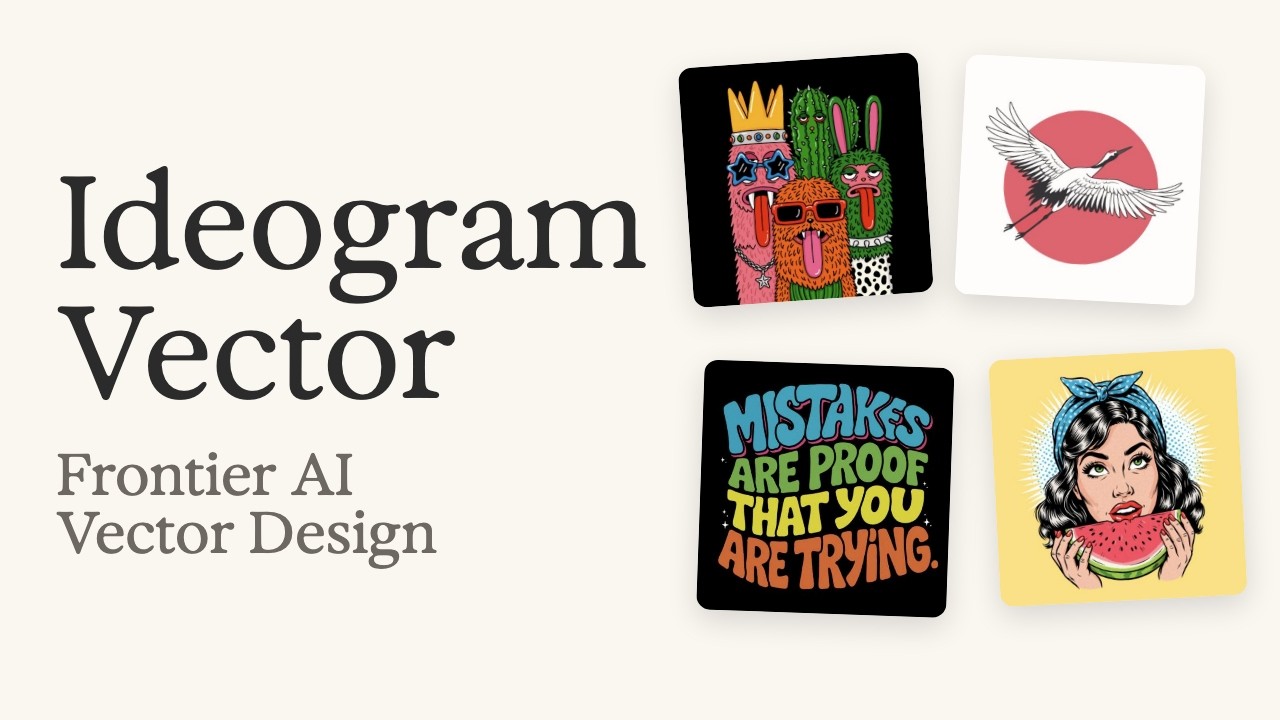
Ideogram's model page shows lettering, logos, merch, and stickers made with the model. One example is a logo that pairs a jaguar illustration with the word 'RUGIDO'. For turning existing images into vectors, the page shows three pairs, each with the original and the converted version side by side.

Ideogram's listed API prices are $0.13 to $0.20 per image for vectors created from text, depending on quality, and $0.10 per image for converting an existing image.

Hero image from the Ideogram Vector model page: 'Ideogram Vector: ready-to-use, scalable, editable SVG artwork'
The hero image on Ideogram's model page. Source: Ideogram
Example prompt from Ideogram's model page

A heart-shaped logo made entirely from soft green lettering on a black background.

Change the parts that describe colors and shapes to fit your logo, then paste it into 'Create a vector'.

Example prompt from Ideogram's model page

A bold, modern logo with rounded block lettering in bright orange, green, blue, and pink.

How people reacted

What people liked

  • “경로도 꽤 깔끔하게 나와서 첫번째 사진 SVG 원본이 65KB다. 원래 2배쯤 크게 나왔는데 path 소수점을 반올림으로 날려서 줄임.”

    The paths come out pretty clean too. The original SVG for the first image is 65KB. It was about twice that size at first, but I shrank it by rounding off the decimals in the paths.

    Posted after making four drafts with Korean lettering.

    Jangho Hwang (@xrath) · Xx.com
  • “Clean outlines, the lettering came out spelled right, and every piece is a real editable SVG that stays crisp at any size”

    Posted by a meme service that tried the model before launch, after making its own logo and a set of six cat reaction stickers.

    Create a Meme(@AIMemeCreator) · Xx.com
  • “I honestly do not see any difference between the PNG and the SVG file.”

    Written after converting a decorative butterfly PNG into a vector.

    Jim Clyde Monge · Generative AI Publicationgenerativeaipub.com
  • “The UI is intuitive, generation is fast, and the outputs look really good.”

    Jim Clyde Monge · Generative AI Publicationgenerativeaipub.com
  • “I've been waiting for this tech for many years. Can't wait to try it out!”

    @PromptingProphet · Comment on Ideogram's launch videoyoutube.com

What fell short

  • “투명 배경으로 해달라고 하지 마라. 체커보드 그려줌 ㅋㅋ 색상 지시를 hex로 하면 제대로 안 한다. 색상은 적당히 인간말로 쓴 다음에 svg 파일 고치는게 훨씬 빠름.”

    Don't ask for a transparent background. It draws a checkerboard lol If you give colors as hex codes, it doesn't follow them properly. It's much faster to describe colors roughly in plain words and then fix the SVG file.

    Two of eight observations from using $30 worth of credits.

    Jangho Hwang (@xrath) · Xx.com
  • “한글 ㅇㅎ 처럼 구멍 뚫린 애들은 path 구현을 제대로 못하고 배경색으로 fill 해버린다. 컬러 조정시 주의해야함. 한글 안 써도 quality: medium는 실망스럽다. 웬만하면 high 쓰시길. 문장이 많으면 한국어 오타 생길 확률이 높으니 적당히.”

    Hangul letters with holes, like ㅇ and ㅎ, don't get proper paths. The holes just get filled with the background color, so be careful when adjusting colors. Even without Hangul, quality: medium is disappointing. Use high if you can. The more text you add, the more likely you'll get Korean typos, so keep it reasonable.

    Jangho Hwang (@xrath) · Xx.com
  • “SVGs can get heavy when they contain lots of paths.”

    Jim Clyde Monge · Generative AI Publicationgenerativeaipub.com
  • “Why can't I try this on a free account, even though it costs 13 credits and I have 30?”

    @hessamzand6306 · Comment on Ideogram's launch videoyoutube.com

How to start

Paste the request below into Claude or ChatGPT, then put the prompts you get into 'Create a vector' in the Ideogram web app (upload existing images to 'Vectorize an image'). One commenter said it couldn't be used on a free account, so if you get stuck, check Ideogram's plans.

  1. Starter prompt

    Based on Ideogram Vector as described at https://www.working-ref.com/en/library/ideogram-vector-2026-10 , suggest three things worth making for my work. First, briefly ask me what I do and what I want to make. Once I pick one, write four English prompts, each with a different concept, to put into Ideogram Vector's 'Create a vector'. If nothing fits, let's start with a logo for my service or shop.

Share this reference

Weekly · Free

Was this reference helpful?

The week in AI: the BEST
just 3, straight to your inbox

Work Smarter with AI

420 readers get it every week

You're in See you in your inbox with the next issue.