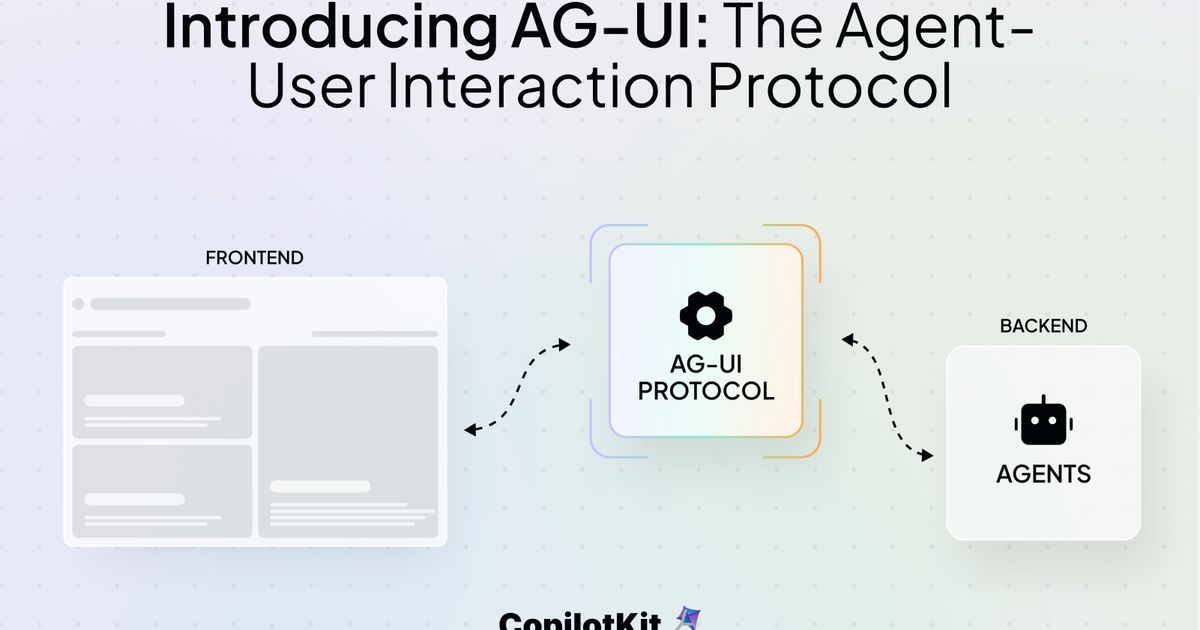
Why does adding an AI agent to your app always end up as a chat window popup?
CopilotKit bet $27M on solving this problem. The answer is a protocol — and the final piece of the puzzle just clicked into place.
The Third Protocol Just Landed
AI agent infrastructure has three core communication problems.
The first: how does an agent use tools? Anthropic's MCP (Model Context Protocol) solved that — sending emails, creating GitHub PRs, interacting with external services.
The second: how do agents collaborate with each other? Google's A2A (Agent-to-Agent) protocol handles that.
But the third problem was still open. How does an agent communicate with users in real time? That gap is what CopilotKit's AG-UI just filled.
AG-UI is an open-source MIT protocol. It standardizes how AI agents communicate with user interfaces — streaming text, sharing app state, rendering dynamic UI components. LangGraph, CrewAI, Microsoft Agent Framework, Google ADK, AWS Strands, Mastra, PydanticAI — 9+ major agent frameworks support AG-UI.
"The standard interface between humans and AI agents — an infrastructure layer that simply did not exist before."
— AG-UI Series A investor
What Is Actually Different from a Chat Popup?
Traditional AI integration works like this: build your app, then bolt on an AI chat window. The agent has no idea what your app is doing. It does not know what data the user is looking at or what task they want to complete — nothing is shared.
| Chat Popup | AG-UI | |
|---|---|---|
| App state awareness | None | Real-time sync |
| UI generation | Text only | Dynamic components |
| Human-in-loop | Limited | Built-in approval gates |
| Framework support | Vendor lock-in | 9+ frameworks |
| Enterprise security | DIY | CORS, auth, audit built-in |
The key insight: the agent lives inside the app. The useCopilotReadable hook shares your current app state with the agent — so it knows "this user is looking at Q3 sales data" and can respond in context. Instead of a text reply, it renders a custom pie chart component you defined.
That is why Deutsche Telekom, Docusign, Cisco, and S&P Global are using it. The agent generates UI within your existing design system — enterprise AI without breaking brand consistency.
How to Get Started Right Now
Prerequisites
A React-based app is all you need. Node.js with npm, yarn, or pnpm ready to go.
- Initialize the project
Runnpx copilotkit@latest createin your terminal. For an existing Next.js/React app:npm install @copilotkit/react-core @copilotkit/react-ui. - Wrap with CopilotKit Provider
Wrap your app root with<CopilotKit runtimeUrl="/api/copilotkit">. This is the bridge between your agent and the UI. - Share app state
UseuseCopilotReadable({ description: "Current data", value: yourData })to give the agent context. From this moment, the agent can see what your app sees. - Connect your agent backend
Connect LangGraph, Mastra, or LangChain via an AG-UI adapter. Quick-start guides for each framework are at docs.copilotkit.ai. - Add a chat UI or custom UI
Start with<CopilotPopup />for the fastest path, or use Generative UI to have your agent render custom components directly inside your app.
Note
AG-UI is a communication protocol, not an LLM. You still need your own API keys for OpenAI, Anthropic, etc. CopilotKit does not provide the AI model itself.
Dive Deeper
CopilotKit Official Docs Full guide from quick start to enterprise deployment docs.copilotkit.ai
AG-UI Protocol GitHub Protocol spec, event types, and adapters for all supported frameworks github.com
CopilotKit GitHub (40K+ stars) Source code, example apps, React/Angular/Vue component library github.com
Introducing AG-UI Blog Post How the protocol was born and how it fits alongside MCP and A2A copilotkit.ai
TechCrunch Series A Coverage The $27M round, investor commentary, and market context techcrunch.com



