
Loading...

Show AI a website and it builds a new version to compare with the original

Give Craft Anything a site to examine, and it helps a coding agent create a new project and compare it with the original. We look at a logic circuit simulator and project screens shared by the maker.

2 cases

Official Craft Anything app icon
Source: Official Craft Anything repository

Developer PMTSantos used AI and Craft Anything to build a logic circuit simulator, then released its source code and an executable. The tool can be used to examine apps and games as well as websites.

Craft Anything helps a coding agent examine an original, create a new project, and compare the result with the original.
Reference 01PMTSantos, a developer who built and released a logic circuit simulator · Personal project

A logic circuit simulator built with AI, released with a Windows executable

PMTSantos released the source code and a Windows executable for LogicCraft, a logic gate simulator built in Rust. The repository says it was made with AI and Craft Anything, but does not specify which parts involved Craft Anything.

Reference 02Official demonstration · ArtCraft, maker of Craft Anything

A website project and a finished game, shown in project screens

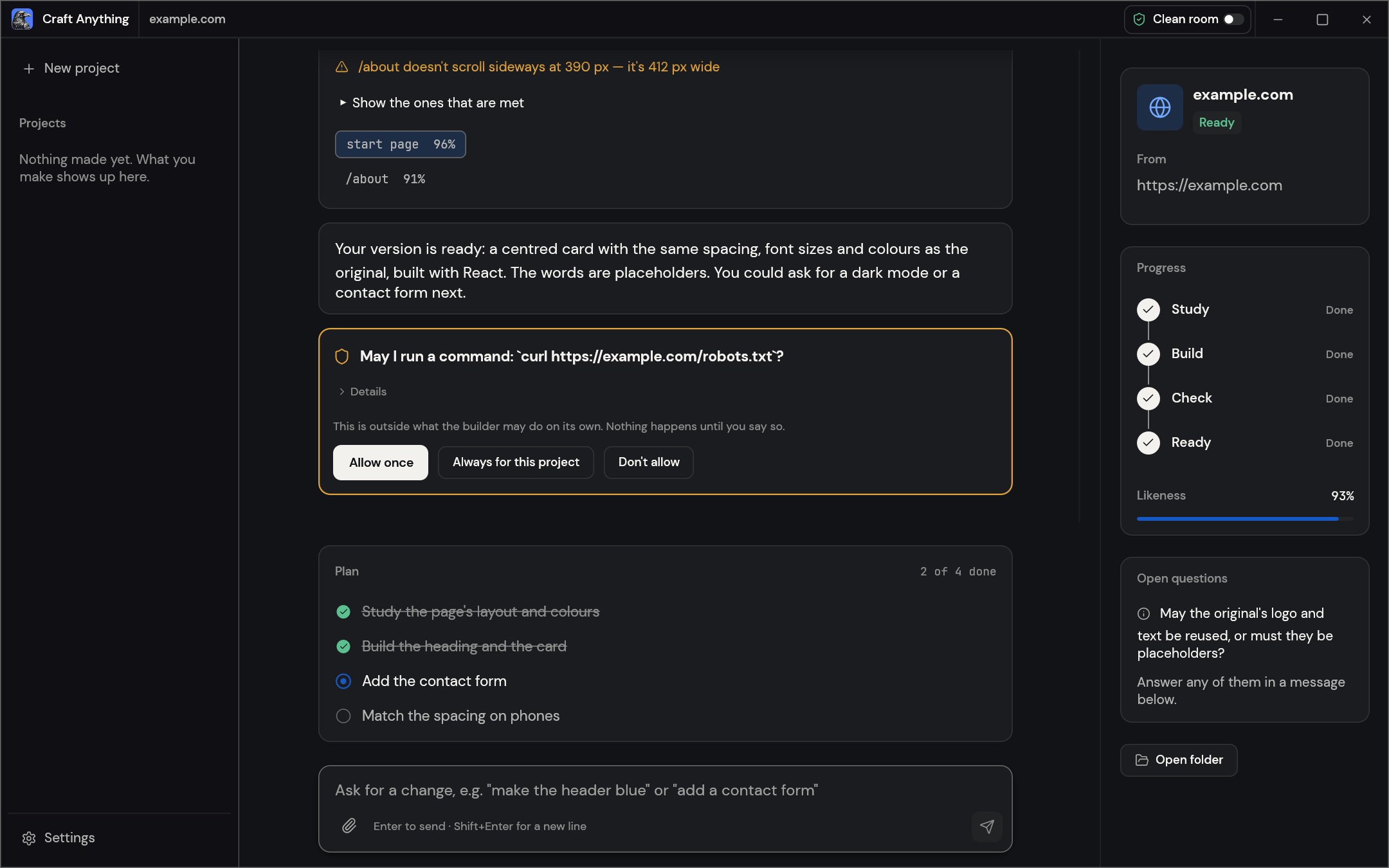
ArtCraft shared examples in its official repository showing the inspection and approval screen for a website project and the screen of a completed snake game project.

Inspection and approval screen for a website project in the official Craft Anything repository
An example project screen shared by the maker. Source: Official Craft Anything repository

How people reacted

What people liked

  • “it built a working little page first go.”

    They said they used Ollama and Qwen3 after adjusting the context size.

    @N3v3rmd · Reply to the launch postteapawt.org
  • “Craft Anything goes harder than anything I've built”

    A user who said they work on device firmware and their own reverse engineering tools.

    OMGrant · Redditreddit.com

What fell short

  • “page up/down didn't work”

    A reaction after trying Notepad++.

    powlette · Redditreddit.com
  • “No project to build found in app/”

    They said they had built a working page, but the inspector displayed this message.

    @N3v3rmd · Reply to the launch postteapawt.org
  • “The application gets stuck in an infinite loop”

    A report of an error while building with Gemini CLI on Windows 11.

    Midoelprince · GitHubgithub.com

How to start

Install the Craft Anything app and Claude Code, sign in to Claude Code, and choose a site you have permission to examine. Then use the prompt below. Before starting, check the agent's file and command permissions and approval settings yourself.

  1. Starter prompt

    Using https://www.working-ref.com/en/reference/craft-anything-artcraft-202611 as a reference, suggest three things I could try with Craft Anything based on my interests. Start as soon as I choose one. If I don't have a preference, start with the first example.

Share this reference

Weekly · Free

Was this reference helpful?

The week in AI: the BEST
just 3, straight to your inbox

Work Smarter with AI

424 readers get it every week

You're in See you in your inbox with the next issue.

Show AI a website and it builds a new version to compare with the original | References