Loading...

A screen designed in Figma became a real iPhone app

Connect a Figma design to Claude Code and build an app you can use. Here are examples from designers, from an app for keeping track of recommendations to one for finding movies and TV shows.

2 cases

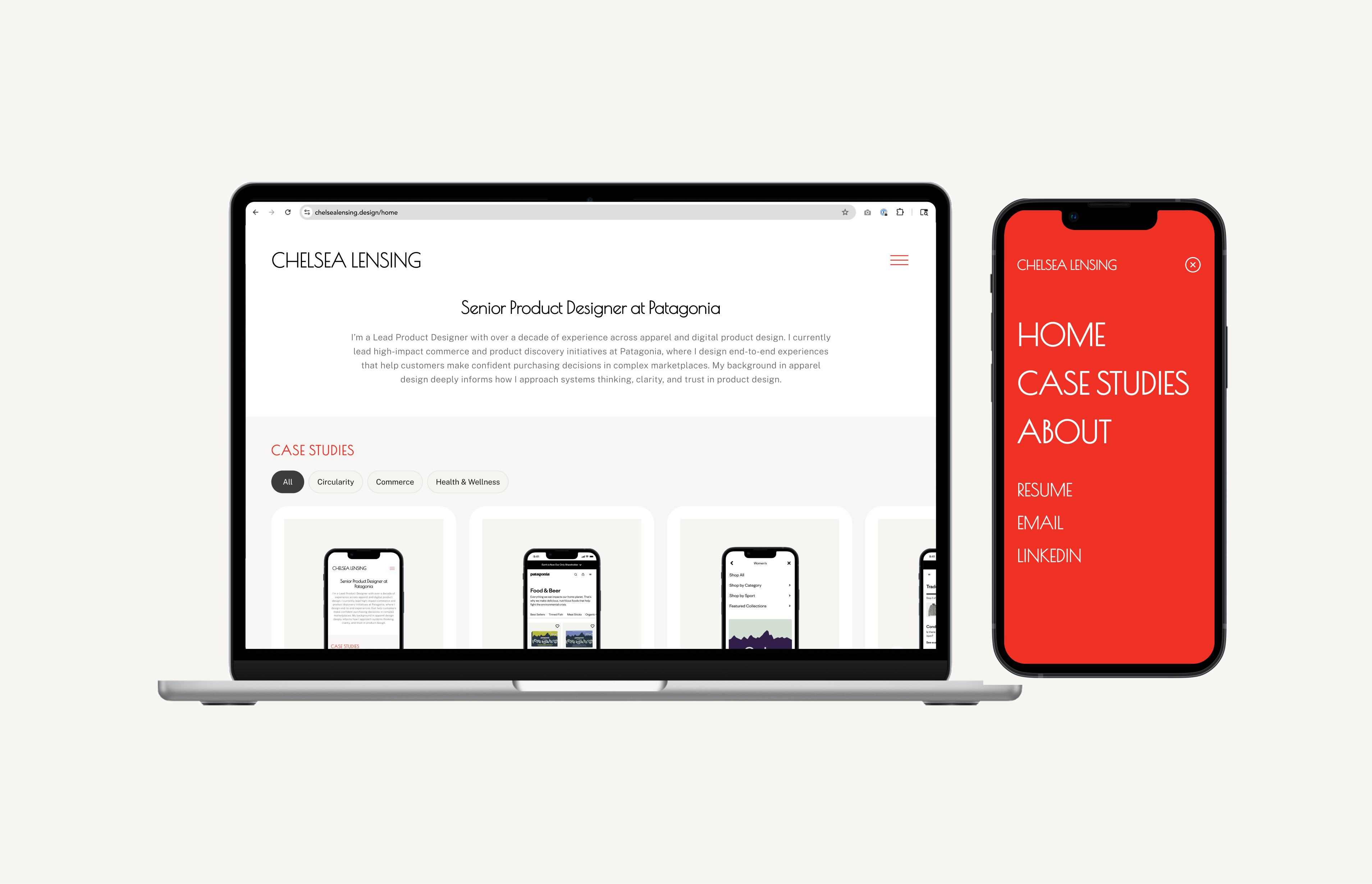
Desktop and mobile screens from Chelsea Lensing’s portfolio case study
Portfolio screens shared by Chelsea Lensing. She says she used Figma MCP to build them, but it has not been confirmed whether she used Figma’s official server.

Designer Alan Tippins turned a recommendation tracker he designed in Figma into an iPhone app and released it on the App Store. A product designer who built an app for movie and TV recommendations also brought in design assets from Figma.

Figma MCP Server gives coding agents access to screens and design information from Figma. Agents can use that information to build app or web interfaces.

Reference 01Alan Tippins, designer of the recommendation tracking app Try/Keep · A post introducing his app.

A recommendation tracker designed in Figma became a released iPhone app

Try/Keep lets you record who recommended something, what they recommended, and why. After trying it, you can categorize the outcome. Alan released his first iOS app on the App Store.

He created a design system in Figma, brought it in through Figma MCP, and connected designs for each feature to build the app with Claude Code. Building the whole app took about a month of evenings and weekends.

Reference 02Long-Balance3177, product designer of the movie and TV recommendation app Seen · A post introducing their app.

A Figma design became an app for finding movies recommended by friends

Seen is an app for finding movies and TV content based on friends’ recommendations. In a post, its creator shared early, intermediate, and current screens and said the app had launched on the App Store and Google Play.

They brought in the main design assets through Figma MCP and revised the app several times based on testing on real devices and user feedback.

How people reacted

What people liked

  • “nailed it on the first try”

    They used Cursor to implement a frame with organized Auto Layout and variables.

    toiletgranny · Redditreddit.com

What fell short

  • “it’s a bit token intensive”

    They also said designs with incomplete Auto Layout or messy layers were hard to work with.

    Complex-Morning-7446 · Redditreddit.com
  • “I’m outputting code quicker without it”

    They found that getting the desired result required a lot of work organizing Figma components.

    xkcd_friend · Redditreddit.com
  • “there were things that had to be iterated on and fixed”

    He evaluated React components built with Claude Code and Figma MCP.

    Ross Luebe · Creative Bloqcreativebloq.com

How to start

Connect Figma MCP Server and your Figma account to Claude Code or Codex, get a link to the frame you want to work on, and paste in the prompt below. Read calls are limited depending on your Figma plan and seat.

  1. Starter prompt

    Read this article: https://www.working-ref.com/en/reference/figma-mcp-server. Suggest three projects I could try based on my interests and my Figma design. When I pick one, get started right away. If I don’t choose one, start with the first example. Figma frame to work on: [frame link]

Share this reference

Weekly · Free

Was this reference helpful?

The week in AI: the BEST
just 3, straight to your inbox

Work Smarter with AI

424 readers get it every week

You're in See you in your inbox with the next issue.