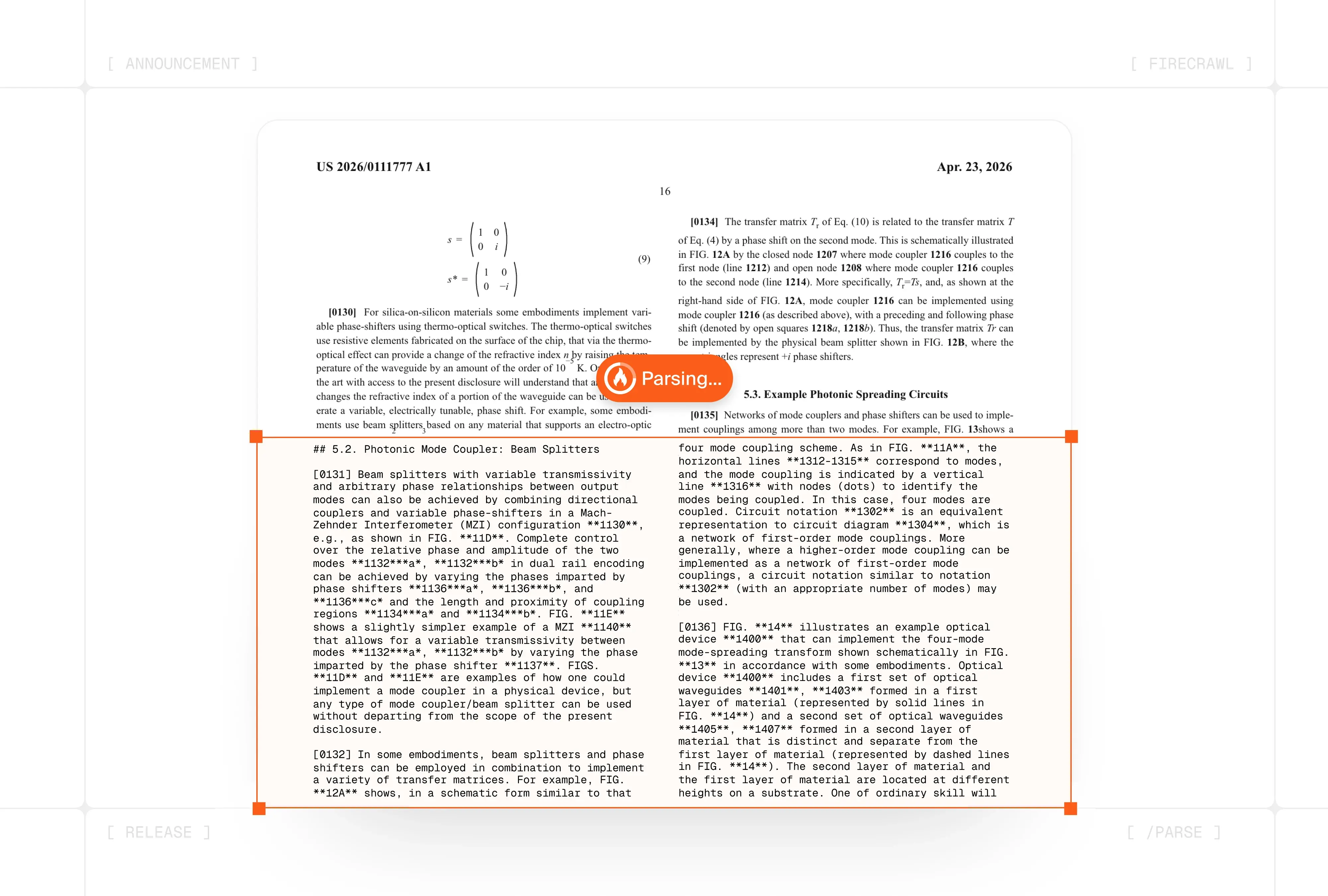
90% of the documents a company deals with aren't on the web. Contracts, quarterly reports, invoices, user-uploaded PDFs — they all live on disk, and processing them has always meant a separate pipeline.
Firecrawl shipped Fire-PDF on April 14th, then added the /parse endpoint exactly 14 days later on April 28th — and that separation is over. Web scraping and local files now share the same engine for the first time.
Why Look at These Together?
If you look at Firecrawl's two April releases separately, you only get half the picture.
April 14th — Fire-PDF. A Rust-based PDF parser. Compared to the previous pipeline: under 400ms per page on average, 3.5–5.7× faster processing. The key trick is not throwing every page at a GPU. The open-source pdf-inspector classifies each page as text-based or scan-based in milliseconds, then text pages go straight to native extraction while only scan/image pages get routed to the GPU layout model + OCR.
April 28th — the /parse endpoint. Takes that same engine and opens it up for local files. Send file bytes via multipart/form-data and you get back Markdown, JSON, summaries, and structured extraction — all in one shot. Supported formats: PDF, DOCX, DOC, ODT, RTF, XLSX, XLS, HTML — up to 50MB per file.
What their combination means is straightforward. Web pages and internal company files can now go into the same RAG pipeline for the first time. Before, it was Firecrawl for the web, PyMuPDF/Unstructured for PDFs, Tesseract/Textract for scanned documents — three separate tracks. Output formats differed. Table and formula handling quality differed. Cost structures differed.
What Made the Old PDF Pipeline So Expensive?
Here's the thing — the 5× speed claim isn't just marketing. Here's how it actually works:
- Native extraction first — Text-based pages skip the GPU entirely. The PDF's internal structure (fonts, text operators, image coverage) is read by
pdf-inspectorin milliseconds without rendering, and text is pulled out directly. - Lane-based GPU routing — Only pages that actually need the GPU get sent there, and lanes are separated by document size. Even if a 200-page report comes in, latency for a 1-page invoice isn't affected.
- Region-tuned OCR — Tables, formulas, and text blocks are detected as separate regions, each with different token budgets and prompts. Tables get up to 25 seconds, formulas are preserved as LaTeX, text is capped at 12 seconds and 256 tokens for efficiency.
Think of a mixed document like a financial report. If 150 pages are text-based and 60 are scanned, the old approach would run OCR on all 210 pages. Fire-PDF sends only the 60 to the GPU. Speed and cost savings scale almost proportionally.
What Changes?
The bigger deal isn't cost — it's pipeline simplification. If you've run RAG or agents at a company, your setup probably looked something like this.
| What You're Processing | Before — Fragmented Stack | After — Unified with Firecrawl |
|---|---|---|
| Web pages | Firecrawl /scrape |
/scrape + Lockdown option |
| PDFs/DOCXs on the web | Download → separate parser | Pass URL to /scrape, auto-detected → processed by Fire-PDF |
| Local files / user uploads | PyMuPDF + Unstructured + Tesseract combo | Upload once to /parse |
| Structured extraction (contract parties, invoice totals) | Parse → LLM call → JSON normalization (3 steps) | Pass schema with /parse call (1 step) |
| Output format | Different per tool — post-processing required | Unified Markdown / JSON across the board |
| Sensitive documents (contracts, medical) | Own infrastructure + separate security review | Enterprise ZDR — data purged immediately after response |
If you've actually run a RAG pipeline, the last two rows are where the real value is. Collapsing "parse → LLM call → JSON normalization" into one line isn't just about fewer lines of code — it means your error surface shrinks by two-thirds. The retry/fallback/validation logic at each intermediate step disappears.
/parse re-parses on every call — there's no caching. Upload the same file twice and you're billed twice. If you're building a service that accepts user uploads, put a file-hash-based cache layer in front to keep costs under control.
Getting Started
- Step 1 — Pick your entry point first
Public URL on the web → use/scrape. Local file or a file behind auth → use/parse. Firecrawl's own guide starts with this same fork. - Step 2 — Specify the PDF mode
Lots of scanned pages →parsers: [{type:"pdf", mode:"ocr"}]. Text-based PDF →mode:"fast". Mixed → leave it as the defaultauto. - Step 3 — Pass a schema along with the call
If you need specific fields from contracts, invoices, or similar docs, include{type:"json", schema:{...}}in theformatsoption. That cuts out a follow-up LLM call. - Step 4 — Cap large PDFs with maxPages
You rarely need all 200 pages of a report. Set something likemaxPages: 50to keep cost and latency in check. Bump the timeout too (default 30 seconds → max 5 minutes). - Step 5 — Route sensitive documents through a ZDR plan
Contracts, medical records, internal reports → call with an Enterprise key that has ZDR enabled. Standard RAG → use a separate standard key. Data retention policy is set at the key level.
FAQ
I'm already using Unstructured.io or LlamaParse — is it worth switching?
Fire-PDF has an edge on speed and cost, but — let's be honest — if your current stack isn't broken, there's no rush to move. The real case for switching comes from web scraping and file parsing sharing the same engine. If your RAG pipeline or agent also pulls web data, you gain a lot by unifying output formats, billing, and the SDK. If you're only processing files, switching isn't a high priority.
How much does Fire-PDF actually improve table and formula extraction quality?
Firecrawl hasn't published official accuracy benchmarks, but the architecture is fundamentally different — tables get up to 25 seconds of token budget, formulas have a dedicated LaTeX-preservation prompt, and multi-column reading order is predicted by a neural model with XY-cut as a fallback. Think of academic papers, financial reports, and legal documents as the primary beneficiaries — the ones where "OCR mangled the tables and made the output unusable."
What do I do with PDFs that exceed the 50MB limit?
Two patterns. (1) Split the PDF into page chunks on the client side (e.g., PyPDF2 split) and run parallel /parse calls — there's no batch upload, so you're limited to one file per call. (2) Use the maxPages option to extract only the first N pages — good enough for report summaries or metadata extraction. For single PDFs in the hundreds of megabytes, option (1) is really your only choice.
Can I use Lockdown Mode with /parse?
Lockdown is currently /scrape-only. Since /parse doesn't make outbound requests (it receives file bytes directly), cache-only protection like Lockdown doesn't really apply. That said, the ZDR option lets you purge data immediately after the response, adding a different security layer to your workflow. The two features address different threat models — Lockdown covers "information leaking via outbound requests," ZDR covers "data persisting with the provider."
Deep Dive Resources
Fire-PDF launch (Eric Ciarla, 4/14) The primary source with the most detail on the Rust engine's five-stage pipeline and the pdf-inspector classification trick — including table, formula, and multi-column handling specifics firecrawl.dev
Introducing /parse (Eric Ciarla, 4/28) The endpoint launch announcement — covers Python code examples, RAG ingestion patterns, and ZDR use cases in a compact format firecrawl.dev
/parse official docs Options, PDF modes, structured JSON, and limitations — all on one page. Worth a read before you start docs.firecrawl.dev
PDF Parser v2 (predecessor) The launch context for Fire-PDF's immediate predecessor. Useful for understanding what limitations drove the full rewrite in Rust firecrawl.dev



