The PR is up, but red CI is a human’s job again
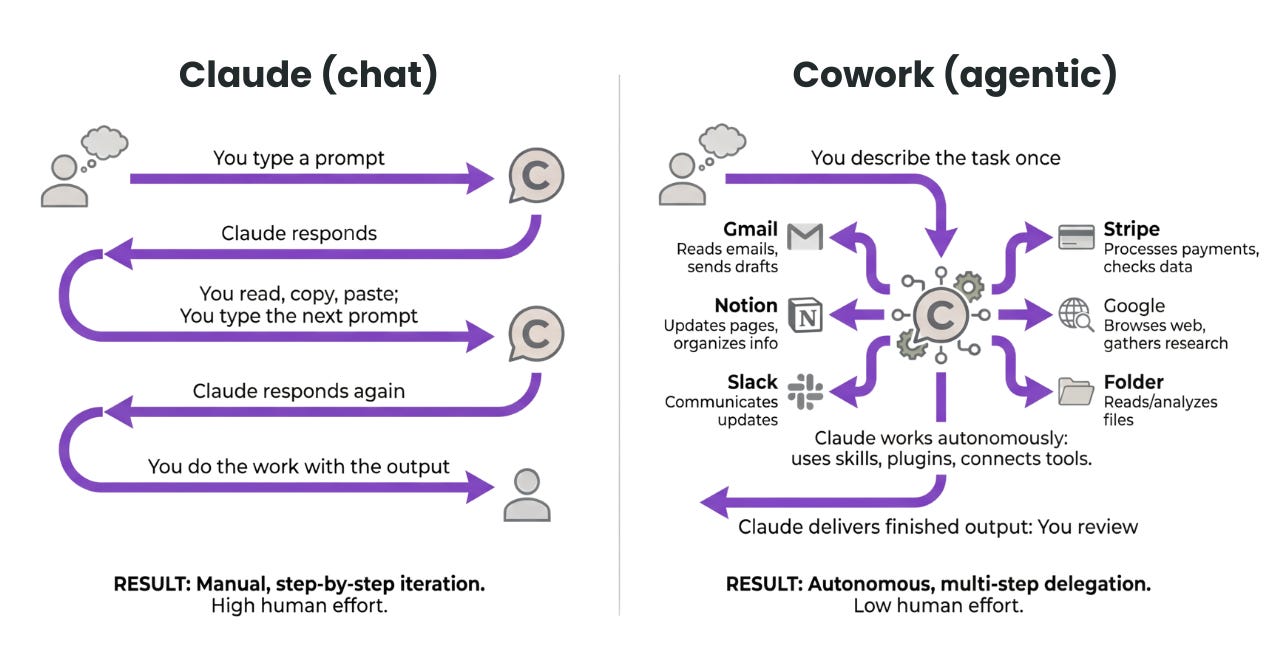
An AI agent implements a feature, runs local tests, and even opens a PR. But when a failure occurs only in remote CI, the flow breaks. A person has to check the notification, copy the logs, and explain the failed context again before the agent can start the next fix.
The gap Nx aims to fill is not code generation, but the loss of information after a PR. It lets a local agent retrieve Nx Cloud pipeline status, failed task output, and Self-Healing CI fix suggestions.
That said, this is not a one-command feature that automatically resolves every failure. You need to prepare local Nx execution, the Nx Cloud and VCS connection, the CI fix-ci step, and the agent’s MCP and skill setup in sequence. The conditions for generating a fix suggestion and automatically applying it must also be evaluated separately.
What the agent gets back is post-failure context
Nx MCP provides ci_information to check the current branch’s CI status, ci_task_output to retrieve individual task output, and update_self_healing_fix to apply or reject a Self-Healing suggestion. In other words, the agent can directly retrieve the information people used to relay between the CI screen and the editor.
| Post-PR stage | Before connection | After connection |
|---|---|---|
| Status check | A person checks CI notifications and the CI screen | The agent queries Nx Cloud status |
| Failure handoff | Copy logs and write a new prompt | Retrieve failed task output directly |
| Fix suggestion | A person explains the cause again | Review a Self-Healing suggestion and apply or reject it |
| Completion decision | A person resumes the flow after every failure | Query CI status again to decide the next step |
There is one naming detail to correct here. The original official post calls it ci-monitor, but the name found in the current public repository’s skill path and metadata is monitor-ci. If you search for the old name as an installation path or skill name, it may not match the current setup.
Self-Healing CI uses failure logs and the Nx project graph to analyze the cause and create a fix, then reruns the originally failed task to verify whether the fix worked. That verification applies to a particular failed task. It does not guarantee the overall business correctness of the code or that the PR is ready to merge.
First, confirm Nx runs in a fresh checkout
This procedure targets an existing workspace with nx.json and Nx included in package.json. Initializing a repository without Nx changes dependencies and configuration files, so it should be treated as a separate adoption task.
- Prepare the Node.js version and package manager specified by the repository.
Checkpackage.json, the lockfile, version-management files, and the existing CI configuration. Follow that repository’s setup for the exact Node.js version and installation command. - Run the project dependency installation command that matches the lockfile.
When installation finishes, runnpx nx --versionfrom the workspace root, or run the Nx task the repository normally uses. The first success criterion is that local Nx starts successfully. - Stop the connection work if Nx is absent.
If neithernx.jsonnor Nx inpackage.jsonis present, do not start withconfigure-ai-agents. Sincenpx nx@latest initadds Nx dependencies and configuration, it is a separate change the team should review.
Connect Nx Cloud and CI first
Before configuring the agent, establish the route through which remote CI can leave status and fix suggestions. You need an Nx Cloud account, a supported VCS integration, and permission to change the workspace and CI configuration.
- Open the Self-Healing CI setup documentation and connect the workspace.
Runnpx nx@latest connectat the workspace root, then complete browser authentication. - Verify the VCS connection in Nx Cloud.
Connect a GitHub, GitLab, Azure DevOps, or Bitbucket repository listed as supported in the official documentation, then enable Self-Healing CI in Workspace Settings. - Add
npx nx fix-ciat the end of the correct CI job.
Place it in the main or orchestrator job that starts Nx tasks, and configure it to run even when prior steps fail. In GitHub Actions, this requiresif: always(); other CI systems need the equivalent condition. In a BYOC setup, the same handling is needed in every agent job as well as the main job.
If fix-ci runs only on the success path, it cannot handle failures.
Check the CI logs to make sure it actually runs after an earlier test fails, not just that it is positioned correctly. The syntax for an always-run condition differs by CI provider, so use the syntax of your existing pipeline.
Verify agent setup in two parts: installation and operation
Once the Nx Cloud connection is complete, configure Nx MCP and the monitor-ci skill in your coding client. The official setup command checks the existing Nx workspace, then creates client-specific rules, MCP, and skill files.
- Generate the configuration for the client you use.
Runnpx nx configure-ai-agentsand select interactively, or usenpx nx configure-ai-agents --agents <claude|codex|copilot|cursor|gemini|opencode> --no-interactivein an automated environment. - Review the generated changes.
Check the diff to confirm that rule files and MCP and skill settings were added in the expected client locations. Before committing directly to the repository, also check for conflicts with organizational rules or existing configuration. - Check installation status.
Runnpx nx configure-ai-agents --check=all. If the rules, MCP, and skills checks pass, the configuration files were installed successfully. This check does not mean remote CI queries have succeeded. - Verify VCS credentials and permissions.
If you expect the agent to create PRs, it needs the credentials and permissions to commit, push, and create PRs. Without them, have a person create the PR and request monitoring only. - Send the first prompt from a PR branch, not the default branch.
If it has permission to create a PR, you can enter the official example:Commit the work, create a PR and monitor CI.At first, do not assume automatic application; confirm that the agent can retrieve Nx Cloud pipeline status first.
Suggestion generation and automatic application are different gates
Do not immediately interpret the absence of a Self-Healing suggestion as low AI reliability. The stage that creates a suggestion and the stage that automatically applies a created suggestion have different conditions.
| Stage | Conditions to check | Success signal |
|---|---|---|
| Agent installation | Rules, MCP, and skill configuration | --check=all check passes |
| CI monitoring | Nx Cloud connection and MCP tool exposure | Pipeline status for the current PR branch is retrieved |
| Suggestion generation | PR CI run, Self-Healing enabled, branch rules, eligible tasks, and exclusion patterns | A suggestion or status message for the failed task appears |
| Automatic application | Auto-apply patterns, high confidence, and failed-task rerun verification | A suggestion that passes every condition is applied automatically |
If no suggestion is generated, check whether CI ran on the PR, whether Self-Healing is enabled, whether it was run on a default or protected branch, and whether the failed task was caught by eligible-task or exclusion patterns. Conversely, if a suggestion appears but is not automatically applied, then examine the auto-apply patterns, confidence, and rerun verification result separately.
monitor-ci is publicly designed to distinguish outcomes such as success, nothing to fix, environment issues, and timeouts. So if CI on the first PR passes from the start, it is normal to have no fix suggestion. If the agent retrieved that run’s status, the first goal—establishing the monitoring connection—has been achieved.
Do not define the first rollout’s goal as “unattended merging.”
Start by validating the connection with tasks such as linting or unit tests, where failures and rerun results are clear. If people need to copy and relay CI logs less often, and the agent reports failed output and fix-suggestion status distinctly, the automation gap Nx set out to fill has genuinely closed.
If you want to dig deeper
End to End Autonomous AI Agent Workflows with Nx is the starting point explaining why people have to re-engage after a PR and the full flow for an agent monitoring CI. nx.dev
AI-Powered Self-Healing CI lets you separately review VCS connection, fix-ci placement, the scope of suggestion generation, and the conditions for automatic application. nx.dev
Integrate Nx with your Coding Assistant covers supported clients, non-interactive setup, and the --check=all procedure. nx.dev