Loading...

Describe a product moment and AI can turn it into an animated demo

Connect Stageshow to a coding AI and describe an action in your product to create an interface and turn it into an animated demo. We gathered examples of fictional product screens shared by the creator, an explanatory image made by an independent user, and a comparison using the same prompt.

3 cases

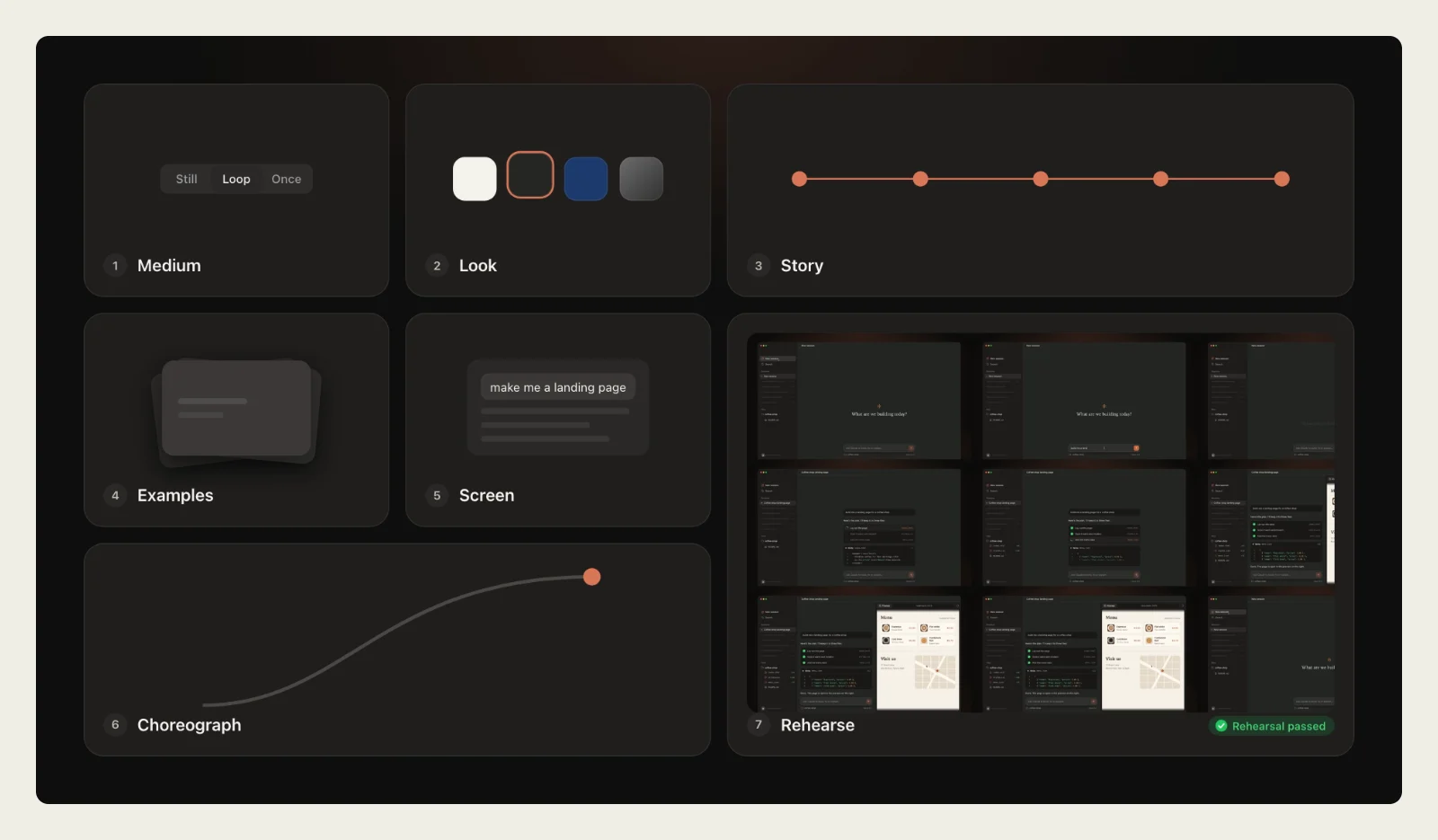
A seven-step explanatory image made by Darius Reed with Stageshow
Darius Reed made this explanatory image with Stageshow for his article. Source: Darius Reed

“Using it now and seeing amazing results.” That's one user's reaction to Stageshow. Another user made an explanatory image for his article, then ran the same prompt without the skill to compare the results.

Stageshow is a skill that helps coding AI build product interfaces as still images or animated demos. Its creator also describes how to capture, review, and revise the AI-generated screens.

Reference 01Darius Reed, a blogger who covers AI tools, made an explanatory image for his article.

An AI-made illustration went straight into a published article

Reed used Stageshow to make an illustration of its workflow and published it in his article. The grid shows seven stages. He said the Rehearse section includes an actual contact sheet from his testing.

Reed covers AI tools and workflows on his blog.

Reference 02Tutorial · Darius Reed tested the same prompt in Claude Code with and without the skill.

Given the same interface request, the AI found and fixed awkward details

Reed ran the same prompt in separate new conversations and compared basic, complex, and mobile screens. According to Reed, the basic test using the skill found and fixed issues including empty space above the interface, uneven padding in a code card, and text cut off on a phone.

The full prompt was not published. Reed's article shows the results side by side.

Reference 03Official demo · Stageshow creator Benji Taylor shared examples of product interfaces.

Describe a product action to make a looping demo

Taylor shared examples that recreate small moments in product interfaces inspired by Figma, Gmail, Finder, and Spotify. They are fictional UIs built for the examples, not recordings of the actual products.

The official guide also includes an example prompt for a looping demo on a homepage hero.

Starter prompt from the official guide

A small looping demo for our homepage hero: someone assigns an issue to a teammate.

How people reacted

What people liked

  • “Stageshow handles the framing, the clutter and the phone layout”

    Darius Reed · tech blogdariusreed.com
  • “Using it now and seeing amazing results.”

    nix.ron · Xteapawt.net
  • “Such a great idea, nice work”

    Emil Kowalski · Xteapawt.net

What fell short

  • “A Stageshow run takes longer than a plain prompt”

    Darius Reed · tech blogdariusreed.com
  • “I wish there was a site with more demos”

    Maayan Albert · Xteapawt.net

How to start

Install Stageshow in a coding agent such as Claude Code, Codex, Grok Build, or Gemini, then paste in the prompt below. Check the finished screen yourself.

  1. Starter prompt

    Read https://www.working-ref.com/en/reference/stageshow-benji-taylor-2026-11 and suggest three screens or images I could make with Stageshow, based on my interests and work. Once I choose one, start right away. If I don't have a preference, start with the first example.

Share this reference

Weekly · Free

Was this reference helpful?

The week in AI: the BEST
just 3, straight to your inbox

Work Smarter with AI

424 readers get it every week

You're in See you in your inbox with the next issue.

Describe a product moment and AI can turn it into an animated demo | References