Loading...

视频

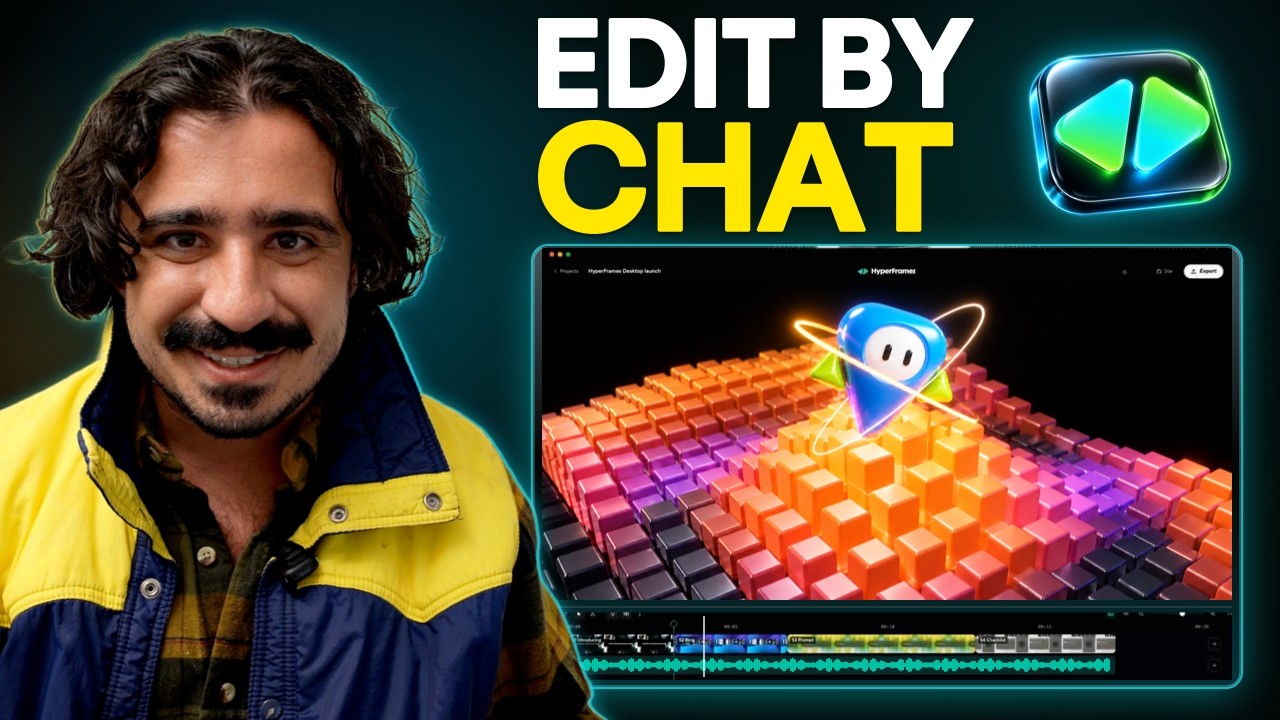
AI视频剪辑工具 · HyperFrames Studio

只在画面上圈出要改的地方、说一句话,AI就把25分钟的播客剪得有模有样

把网站链接或拍好的视频放进HyperFrames Studio,接入的Claude Code或Codex就会做出视频,放到时间线上。哪个画面不满意,直接在上面用笔画或加评论,AI就会改那一处。应用免费。我们收集了在实际工作中用它的案例。

2026年10月19日·2 个案例

Tenex的Anthony Dupont-Cinko介绍用HyperFrames Studio做的视频和制作过程,时长15分29秒的上手视频
开头是Cinko用Studio做出的成品合集。来源:Tenex YouTube

HeyGen在10月5日发布HyperFrames Studio,官方X账号的发布帖浏览量超过167万。 四天后,有人发帖说,自己一次也没打开Premiere或Final Cut,在24小时内剪完了一期25分钟的播客,还把Excel文件做成了视频。

发帖的是AI落地咨询公司Tenex的Anthony Dupont-Cinko,负责公司播客《Talk Nerdy》以及博客和YouTube内容。Cinko写道:"Now there's a timeline, a chat box, and a pen: circle what's off, say what you want, and it fixes it. I don't think I could ever go back to writing out timestamps."(现在有了时间线、聊天框和一支笔:把不对的地方圈出来,说出想要的效果,它就会改好。以前要把待改画面的时间点(时间戳)一条条打字告诉AI,我想我再也回不去了。)

视频本身由你电脑上接入的Claude Code或Codex用代码(HTML)生成。Studio把视频放到时间线上,你打字、指点、画圈或加评论的地方,都会交给AI去改。
Reference 01在AI落地咨询公司Tenex制作播客《Talk Nerdy》的Anthony Dupont-Cinko · X、Tenex博客

把一整期25分钟的播客交给它,拿回来的成片带片头、字幕和资料画面

Cinko把播客《Talk Nerdy》的一整期放了进去,要求用老资料画面和音效做一个片头。最终,整期25分钟的节目变成了带片头、字幕和资料画面的剪辑版。 只用第一条提示词,画面布局、图形和剪辑点就达到了Cinko心中成品的约85%,之后又用三条提示词修掉了生硬的转场。在同一次剪辑中,AI一开始在资料画面的位置只放了显示文章标题的画面,Cinko不得不再提要求,让它去网上找真实的资料画面放进去。

修改过程中,Cinko做的事情就是这些:"I was just drawing on the screen, typing in a text box"(我只是在画面上画,在文本框里打字)。 在画面上画图来修改的过程,可以在顶部上手视频4:30的章节('Draw on a frame to make edits')里看到。

同一天里,Cinko还把Excel文件做成了幻灯片视频,把博客文章做成了社交媒体信息图,把邮件简报页面做成了广告,把网络研讨会介绍页做成了宣传视频。用手机拍下自己说话30秒的画面放进去,出来的视频自带字幕、图形和画面放大效果;再加一条提示词,就成了能用的视频。

Cinko不是HeyGen的员工。不过Tenex是为企业提供AI落地咨询的公司,所以Cinko的博客文章和视频也有为自家公司做宣传的成分。

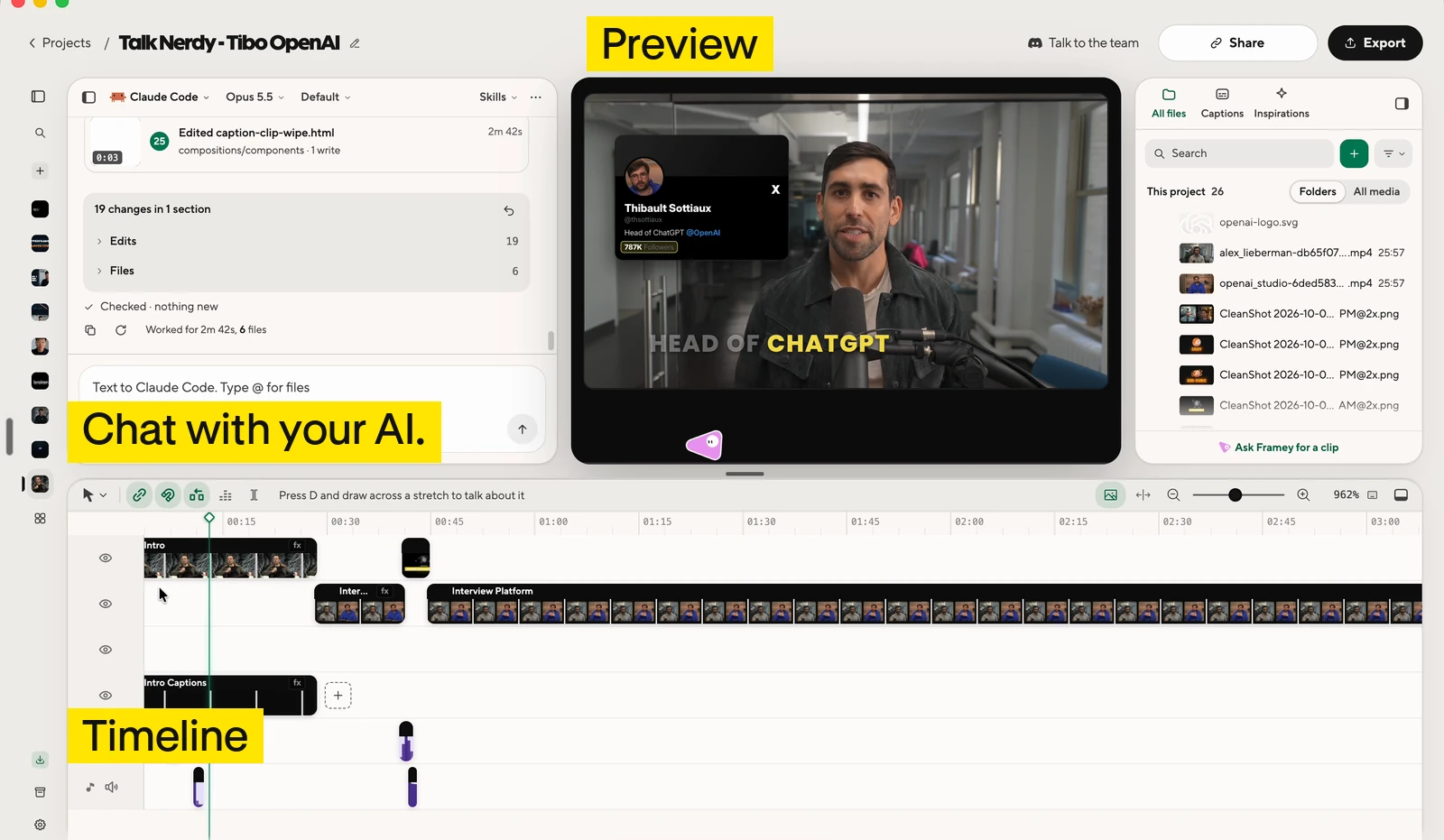
HyperFrames Studio编辑界面:视频预览、时间线和与AI对话的聊天窗口
Studio的编辑界面。预览、时间线和聊天窗口都在同一个画面里。来源:Tenex博客
剪辑一期播客时粘贴的提示词 · Cinko公开的提示词包第15条

Edit [your podcast recording filename] into a [target length]-minute [16:9 widescreen or 9:16 vertical] video for [your audience]. The source is about [source length] minutes. Focus on [main topic or purpose]. Keep each speaker's meaning, caveats, and natural delivery. Do not fabricate speech or use a cut that changes a claim. Keep the speakers visible for most of the episode. Preserve their names and roles: [names and roles]. First transcribe the full recording, or use the attached timed transcript. Check important names and numbers. Propose the sections to keep and cut, with source timestamps. Wait for my OK before changing the spoken edit. After approval: - Remove repeated points, false starts, and distracting dead time. Keep pauses and reactions that affect the meaning or mood. Do not shorten every breath. - Make clean audio edits that do not cut through words. Avoid unnecessary transitions between ordinary cuts. - Add titles at section changes and quotes or diagrams where they explain a point. Use [your brand colors] and [your font]. Keep text away from faces. - Use real archival footage only where it clarifies a specific point. Start with my supplied clips and sources. If search is available, propose usable real footage with its source and usage terms before adding it. - Do not substitute generated footage for requested archival footage. If footage is unavailable, keep the speaker visible and list the gap. - Keep speech clear. Add music only if I supplied it or approved the track. Save a cut list and an asset list in NOTES.md, including source timestamps, footage URLs, known usage terms, and where each asset appears. Work in sections if the episode is too long for one pass. Show me the preview. After my approval, run the project checks and export an MP4.

Cinko把试过的提示词整理成16条,在GitHub上免费公开,这是其中一条。按提示词包的说明,已与官方文档核对过,但没有原样用这段文字重新生成视频来测试。把方括号里的内容换成你自己录音的信息即可。把资料画面换成真实影像的后续提示词也在同一个文件里。

Reference 02开设AI视频剪辑付费工作坊的创作者Matt Farmer · YouTube

只放进一个工作坊介绍页,就拿到一整支宣传视频

Matt Farmer把自己10月13日至14日开办的工作坊“Vibe Editing Workshop”的介绍页放进了Studio。在工作坊开始前六天,Farmer把Studio接入的AI做出的宣传视频发成了Shorts短视频,并写道:"I gave it my workshop landing page and it made the whole promo, and you can still go in and edit it."(我把工作坊介绍页给它,它就做出了整支宣传视频,之后还能自己进去修改。)

Matt Farmer介绍用HyperFrames Studio制作的工作坊宣传视频的Shorts短视频

大家怎么说

好评

  • “HyperFrames Studio is the easiest on-ramp to AI video editing I've ever seen. It's like what Canva did for democratizing design.”

    HyperFrames Studio是我见过最容易上手的AI视频剪辑入口。就像Canva让人人都能做设计一样。

    Anthony Dupont-Cinko · Xx.com
  • “Honestly, they rival CapCut.”

    说实话,可以和CapCut一较高下。

    说的是Studio自动加上的字幕。

    Anthony Dupont-Cinko · Tenex博客tenex.co
  • “More than one AI. If you pay for both Claude and Codex, you're not stuck when one runs out of usage.”

    不止能用一个AI。如果Claude和Codex都付了费,一个用量用完时也不会卡住。

    Anthony Dupont-Cinko · Tenex博客tenex.co
  • “The app is free and uses your existing eligible Claude or ChatGPT plan.”

    应用免费,用你现有的符合条件的Claude或ChatGPT套餐运行。

    Codex是通过ChatGPT套餐使用的AI。

    Matt Farmer · YouTubeyoutube.com
  • “Premiere Pro and Frame.io better step up their game!”

    Premiere Pro和Frame.io得加把劲了!

    Frame.io是一款视频协作工具。

    Travis Miragliotta · LinkedIn(Cinko帖子下的评论)linkedin.com

不足之处

  • “The default doesn't look good. You need a lot of references and detail to get something you'd want to post.”

    默认效果并不好看。想做出愿意发出去的视频,需要大量参考素材和细节说明。

    Anthony Dupont-Cinko · Tenex博客tenex.co
  • “It won't help with the idea. It's built to execute, not to brainstorm.”

    它不会帮你想点子。它是用来执行的,不是用来头脑风暴的。

    Anthony Dupont-Cinko · Tenex博客tenex.co
  • “That version came out better. My conclusion is that the terminal still has the higher ceiling; Studio is the easier way in.”

    那一版做得更好。我的结论是,终端的上限仍然更高,Studio则是更容易上手的入口。

    这是在不用Studio、改用终端里的Claude Code(Opus 5.5)和代码视频工具Remotion,为同一个宝可梦图鉴(Pokédex)应用做宣传视频并比较之后说的。

    Anthony Dupont-Cinko · Tenex博客tenex.co
  • “Wait if you already live in Premiere or Final Cut. It's nowhere near as smooth yet.”

    如果你已经习惯用Premiere或Final Cut剪辑,再等等。它现在还远没有那么顺手。

    Anthony Dupont-Cinko · Tenex博客tenex.co
  • “First they asked for all kinds of permissions and said they would record my screen (?!). I ran a test project and it clogged my hard drive by copying everything instead of referencing the originals.”

    一开始就要各种权限,还说要录我的屏幕(?!)。我跑了一个测试项目,结果它不引用原文件,而是把所有东西都复制了一遍,把硬盘塞满了。

    Erik Lindgren · LinkedIn(Cinko帖子下的评论)linkedin.com

怎么开始

下载Studio应用(macOS或Linux),用HeyGen账号登录,接入Claude Code或Codex,再把下面的提示词粘贴到应用的对话框里就行。应用免费,AI订阅费另算。

  1. 起步提示词

    我想像这篇文章里那样做视频、改视频。 https://www.working-ref.com/zh/library/hyperframes-studio-2026-10 用我的素材[例如:播客录音、Excel文件、网站链接],给我提三个可以做的视频方案。我选好一个后,开始做之前先问我的品牌素材、参考视频和不要做的事。要改的地方我会在画面上标出来。如果我没选,就像第一个案例那样,先用我放进去的录音做一个带片头和字幕的剪辑版。

    hyperframes.dev/studio ↗

分享此参考

每周一期 · 免费

这篇参考对你有帮助吗?

每周海量 AI 资讯里的 BEST
只挑 3 条,直接送到你的邮箱

Work Smarter with AI

420 人每周都在读

订阅成功 下一期起,我们在你的邮箱见。