Building AI features into iOS apps used to mean setting up an OpenAI API key, building a proxy server, and worrying about token costs. Apple just changed that entirely.
At WWDC 2026, Apple opened three layers simultaneously: Foundation Models, Core AI, and Xcode 27 agents. More specifically, App Store developers with fewer than 2 million downloads now get server-side AI for free.
Foundation Models or Core AI — which do you pick?
Apple's two AI layers for developers this year each serve a distinct purpose.
| Foundation Models | Core AI | |
|---|---|---|
| Target | Apple Intelligence on-device model access | Deploy custom or third-party models |
| Difficulty | Two lines of Swift to start | Requires model conversion + .aiasset prep |
| Flexibility | Apple-provided models only | Any model you choose |
| Best for | Summarization, classification, smart replies | Medical, photography, coding assistants |
Foundation Models is a high-level Swift API that gives you direct access to the same on-device model powering Apple Intelligence. It is roughly a 3-4B parameter model — free, no API key, and it does not add to your app size since it ships inside the OS.
The 2026 update adds multimodal image input, server model support, custom skill building, and Dynamic Profiles. Right fit for summarization, entity extraction, text classification, and semantic search.
Core AI sits one layer deeper. You ship custom or third-party models as .aiasset files into your app. Use it when Foundation Models is too generic — medical, photography, or highly specialized domains.
Foundation Models gives you a fast start; Core AI gives you full control. Between them sits MLX, a dev-time tool for training or converting models.
One-line decision rule
General text tasks → Foundation Models / Domain-specific model → Core AI / Train or convert → MLX
What does "Claude, Gemini, and OpenAI built into Xcode 27" actually mean?
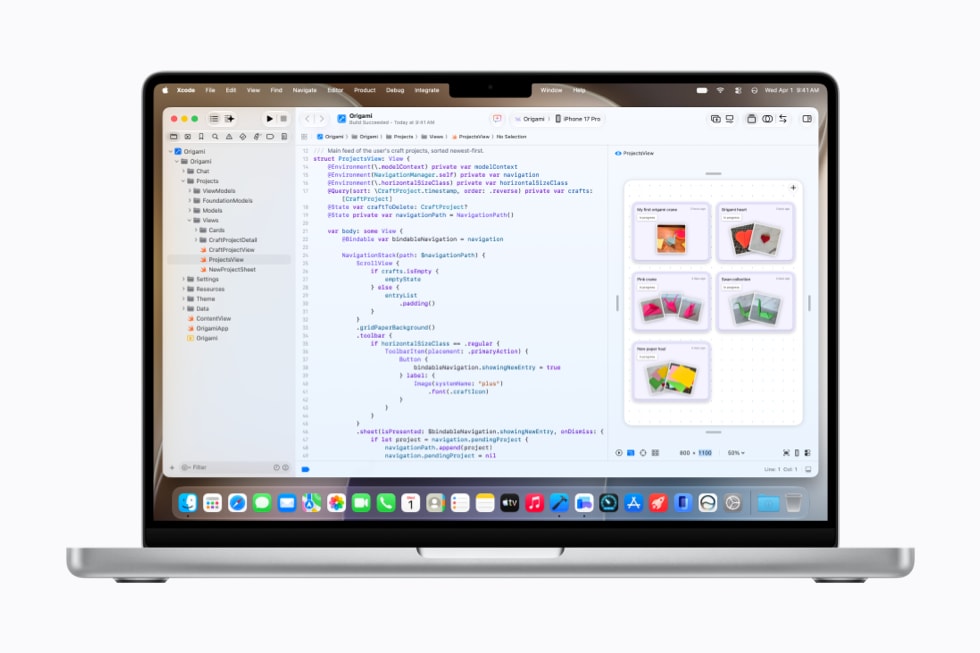
Starting with Xcode 27, coding agents from Anthropic, Google, and OpenAI are built in — no extension install needed. Previously you had to separately subscribe to tools like Claude Code. Now you open Xcode and they are already there.
Here is what the agents can actually do:
The critical difference from previous IDE agents is that agents validate their own work. They write code, run unit tests themselves, check results in the simulator, and only then propose changes. No more saying "run this" every single time.
With Model Context Protocol (MCP) and Agent Client Protocol (ACP) support, you get GitHub and Figma integration, plus third-party agents like Cursor, Claude Code, and Windsurf via ACP. Hardware requirements are clear — Xcode 27 is Apple Silicon only, 30% smaller, and Xcode Cloud is 2x faster.
Under 2 million downloads? Server AI is free too
Foundation Models on-device is all free. Complex queries escalate to Private Cloud Compute (PCC). That used to mean costs — until Apple added a condition.
App Store Small Business Program developers — those with fewer than 2 million cumulative first-time downloads — can access Private Cloud Compute at zero cost. For indie developers and early-stage startups, that means server-grade AI in your app without any cloud bill.
Third-party models like Claude and Gemini can also be connected via the new Language Model Protocol, integrating within the Foundation Models framework. A single layer to switch between on-device, Apple PCC, and external models.
"Developers are at the heart of the Apple ecosystem, and our goal is to provide them with the best possible tools and technologies to build the future."
— Susan Prescott, Apple VP Worldwide Developer Relations
How to get started right now
- Install the developer beta
Grab iOS 27 and Xcode 27 Developer Beta from developer.apple.com. Apple Developer Program membership required. Public beta drops in July, GA in September. - Wire up Foundation Models
import FoundationModels, initializeLanguageModelSession(), callsession.respond(to: prompt)for your first AI response. Always checkavailabilityfirst to confirm device support. - Enable Xcode 27 agents
Xcode 27 → Settings → Coding Agent → pick Claude, Gemini, or OpenAI. External models need API keys; Apple's local Foundation Models agent works immediately. - Check your Small Business Program status
App Store Connect → Agreements, Tax, and Banking. Under 2M downloads and not yet enrolled? Apply — you will unlock free PCC access. - Need domain-specific? Go Core AI
Convert your model with MLX, package it as an .aiasset → deploy via Core AI InferenceFunction. The right move for medical, legal, or specialized apps.
Resources & Further Reading
Foundation Models Official Docs Apple Developer API reference with code examples developer.apple.com
Getting Started with Foundation Models (AppCoda) From LanguageModelSession to streaming — practical iOS code guide appcoda.com
Apple Core AI vs Foundation Models vs MLX Comparison Which layer to use and when andrew.ooo
Xcode 27: The Future of Agent-Driven Development (DEV Community) Deep dive into agent architecture and autonomous validation dev.to
WWDC26 Apple Intelligence Developer Guide Foundation Models and App Intents official documentation developer.apple.com
Inside Apple Intelligence and Xcode (WWDC26 Session Video) Key features in a direct demo developer.apple.com