Three to six hours every month on bookkeeping. Another two to four on chasing invoices. Then you open HubSpot, then Canva, then DocuSign...
Anthropic launched Claude for Small Business on May 13, 2026. It works inside 9 tools you already use — QuickBooks, HubSpot, Canva, and more — so there's nothing new to learn, and your existing permissions stay exactly the same.
Wait — AI is actually reading my QuickBooks data?
Claude for Small Business is not a new subscription. It's a toggle inside Claude Cowork. If you're already on Claude Pro ($20/mo), Max ($100–200/mo), or Team ($25/seat/mo), you can use it right now at no extra cost.
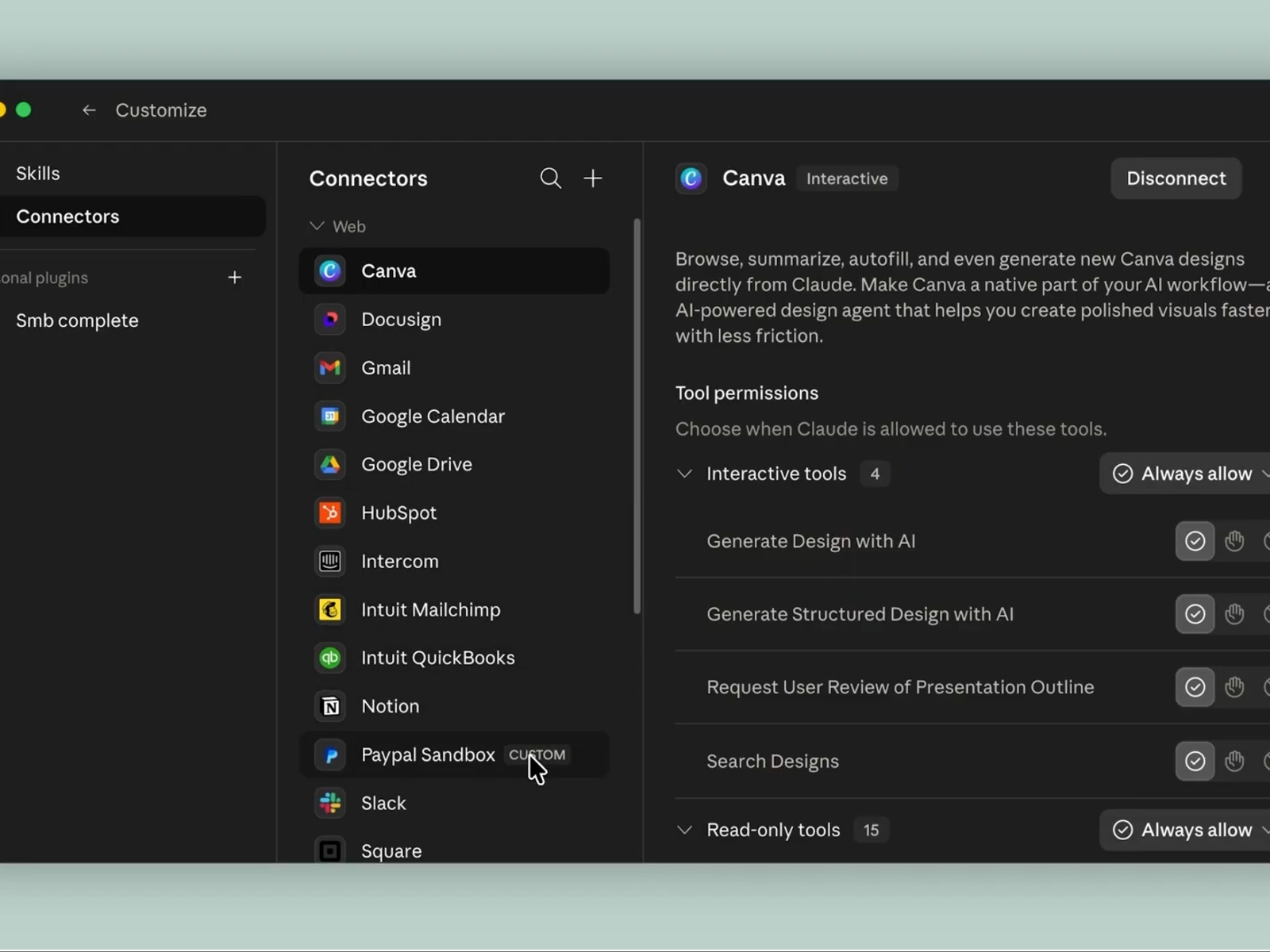
There are 9 integrations: finance (QuickBooks, PayPal, Square, Stripe), CRM (HubSpot), design (Canva), contracts (DocuSign), and productivity (Google Workspace, Microsoft 365). The key thing: your existing permission structure stays intact — "if an employee cannot see something in QuickBooks today, they cannot see it through Claude either," Anthropic says.
The package includes 15 pre-built workflows and 15 skills across finance, sales, operations, and marketing. It is currently focused on the US small business market (which accounts for 44% of GDP), with a 10-city workshop tour (starting in Chicago) running alongside the launch.
What actually changes when your apps stop being siloed
The old small business AI workflow: ask ChatGPT to draft an email, copy-paste it, then manually re-enter numbers in QuickBooks. Each tool lived in its own silo.
Claude for Small Business changes that structure. Take invoice chasing: it reads outstanding invoices in QuickBooks, checks PayPal payment history, references HubSpot communication history, then drafts a personalized follow-up. All in one conversation. Nothing gets sent without your explicit approval — Claude asks before executing any real action.
| Old way | Claude for Small Business | |
|---|---|---|
| Invoice chasing | QuickBooks then write email then send (2-4 hrs/week) | "Sort outstanding invoices" then AI drafts then you approve |
| Month-end close | Manual QuickBooks and PayPal reconciliation (3-6 hrs/month) | Auto-compare sales to ledger, report ready |
| Lead management | Manual HubSpot updates plus email writing | Lead triage then CRM update then personalized draft |
| Contract review | Read and write revision notes manually | DocuSign summary plus redline suggestions |
User reactions have been strong. Brian Ludviksen, COO of Purity Coffee, said the platform "showed me problems I did not know I had" — beyond basic automation. Anthropic has also partnered with PayPal to offer a free AI Fluency course (14 lectures, 1+ hour).
Best workflow to start with
Reviewers consistently recommend invoice chasing as the entry point. It is a weekly, high-frequency task where time savings are immediately obvious — and if something goes slightly wrong, it is easy to fix.
Here's how to get started
- Check your Claude subscription
Make sure you are on Pro or higher at Claude.ai. The $20/mo Pro plan is the minimum. Teams can use the $25/seat/mo Team plan. - Enable the Small Business toggle in Claude Cowork
Claude.ai then Settings then Cowork then turn on "Small Business." It is included in your existing plan at no extra charge. - Connect the apps you already use
In Settings then Connectors, choose QuickBooks, HubSpot, Canva, or any of the 9 supported tools and connect via OAuth. Your current permissions carry over. - Start with one workflow
Try: "Summarize this week's outstanding invoices" or "Give me a P&L summary for this month." Keep it in review-before-send mode for the first few runs. - Run supervised for 4 to 6 weeks
Review every output yourself at first. It takes about 4 to 6 weeks for Claude to calibrate to your business patterns. After that, light review is enough.
Want to go deeper?
Anthropic Claude for Small Business launch coverage Original 9to5Mac article with full feature list and integration overview 9to5mac.com
Official HubSpot connector setup guide Step-by-step CRM permission setup for Claude, written by HubSpot knowledge.hubspot.com
Claude for Small Business in-depth review Cost breakdown, time savings per workflow, pros and cons digitalstrategy-ai.com
Detailed breakdown: 9 app integrations What each connector does and the real cost structure explained digitalapplied.com
Claude Small Business Plugin Pack setup No-code setup guide for non-developers mindstudio.ai