Loading...

Video

Animated explainers · Claude Motion

Give Claude just the numbers, and it comes back with a video you can play in the meeting

Paste a report, numbers, or app screens into a Claude chat and ask for something like 'a 30-second explainer for the all-hands.' Claude Motion builds an explainer video with moving text, charts, and screens, and hands it back as an MP4. It draws each scene in code, so your own numbers and screens go in as they are. You can fix even a single number by typing a request in the chat. We collected cases from people using it in real work. For now it only works on Claude Team and Enterprise plans.

Oct 19, 2026·2 cases

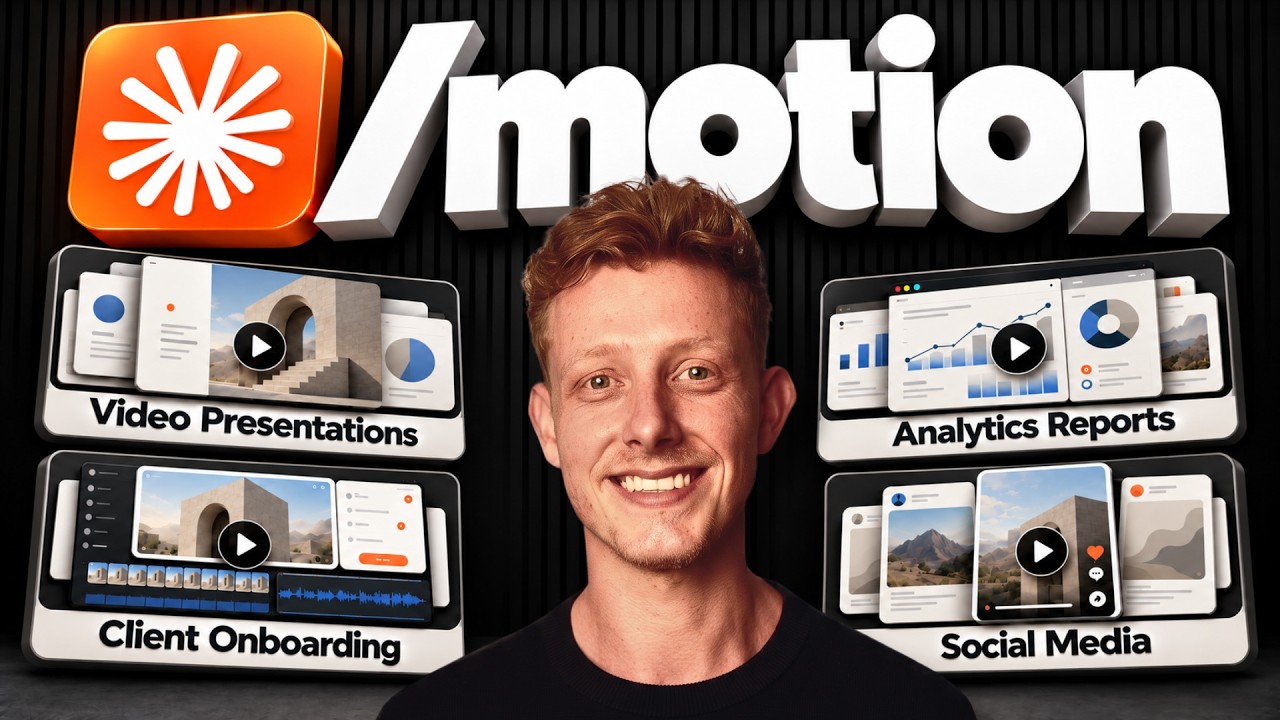
Ben AI's hands-on video with Claude Motion (17:06). From 11:37, it shows the weekly performance video that goes to the team Slack every Monday
A video collecting scenes of Ben van Sprundel, who runs an AI agency, using Claude Motion for real company work. Source: Ben AI YouTube

Every Monday at 8 a.m., a short video on last week's numbers lands in the team Slack of Ben van Sprundel (Ben AI), a three-time founder who runs an AI agency. Ben made the performance video once with Claude Motion. Now Claude rebuilds it in the same format and posts it every week. As Ben put it, "now me and my team get a weekly video report every Monday inside of Slack."

Anthropic's Claude Motion launch post on X, published October 8, passed 390,000 views. A hands-on video by Paul J Lipsky, a YouTuber who reviews AI tools, passed 166,000 views. Paul said, "honestly, it's one of the coolest things I've seen Anthropic ship in a long time."

Claude Motion does not use a video generation model. It draws each scene in code. So no made-up screens or people end up in the video. The numbers from your report and your actual app screens are what move on screen.
Reference 01Ben van Sprundel (Ben AI), founder of the AI agency behind the note app Balda · YouTube. The same video promotes the company's own paid course and an ElevenLabs affiliate link

Claude opened the app and shot the screens itself. A couple of revisions later, the 90-second demo was on the website

Ben used Motion in the Claude desktop app, both in Cowork (the view where Claude works with the files and apps on your computer) and in the Claude Code tab. The performance video runs 60 to 90 seconds. It compares YouTube revenue, email, community, and website metrics for the last 7 days against the 7 days before. After making it once, Ben asked Claude to set up a scheduled task that rebuilds the video in the same format every Monday at 8 a.m. and posts it to the team's Slack channel.

Ben also made a 90-second product demo for Balda with Motion and put it on the company website. Claude captured the app screens itself, using computer use to open the copy of Balda installed on Ben's Mac. Ben said it took "only a couple of iterations" to finish. The weekly scheduled posts and the app screen captures are features Ben used alongside Motion in the desktop app. The video does not cover whether the same approach works in the web chat.

The customer onboarding tutorial page took less than a day. Ben made a 2-minute video covering five steps: download the app, create your first vault (where your notes live), write your first note, turn on sync, and invite your team. Then Ben cut it into five clips of 20 to 30 seconds each and put them on a new page. The marketing report deck Ben presented internally every week became a 45- to 60-second video, with each slide turned into one scene.

The request Ben sent for the product demo

Make a 90-second product demo for Balda, our SaaS app. Show the real app. Balda is installed on my Mac. Open it and take screenshots of every screen you need, like creating a file, the files on the disk, inviting people, access settings, etc.

Put your own app's name in place of Balda. Ben also included links to favorite product demos as style references and reviewed a storyboard before getting the video.

The request Ben sent for the onboarding video

Write the voice-over script, one short sentence per step, and show each sentence as a caption on screen.

Ben turned this script into narration with ElevenLabs, then had Claude merge the audio into the MP4.

Reference 02AI and automation instructor Alexandre Kantjas · LinkedIn. The post promotes events at the 9x Community, which Alexandre runs

A promo video for a whole month's events: here's what they made with Claude

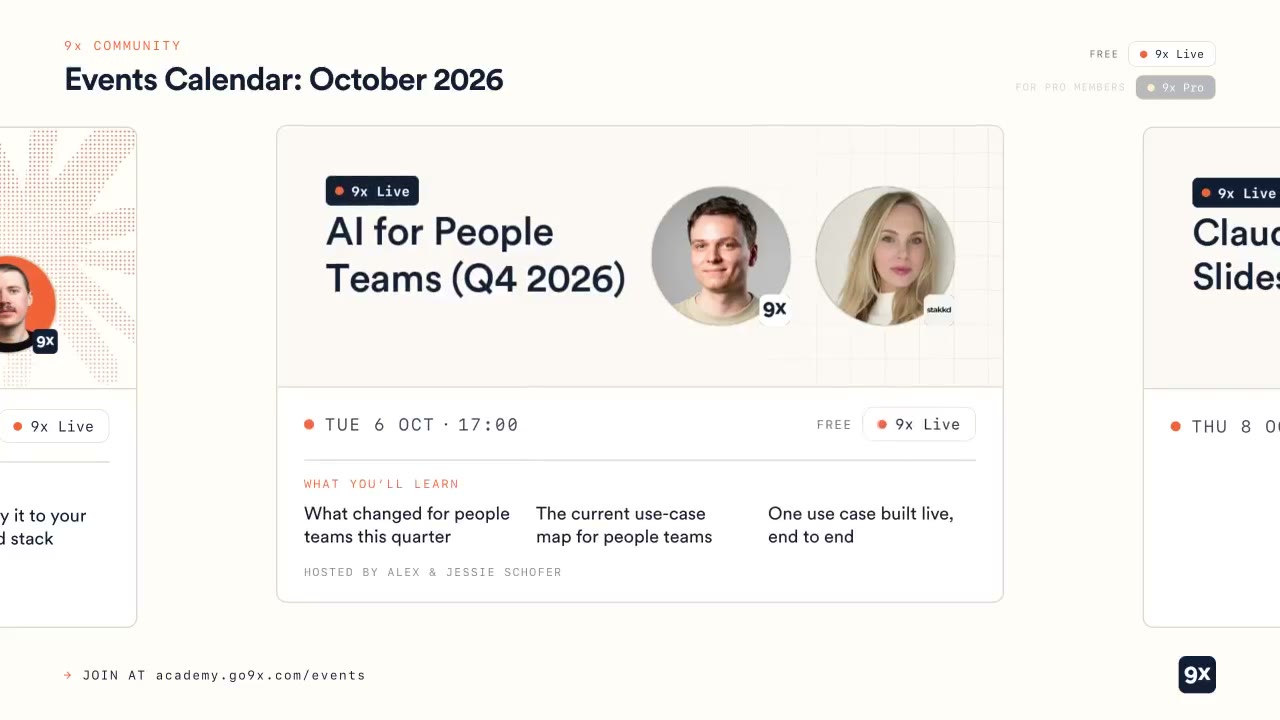
Alexandre used Claude Motion to make a 60-second landscape animation covering every event the community is holding in October. It went up on LinkedIn with a link to the full event list below it. The video opens on an empty "Events Calendar: October 2026" calendar that fills up with events. Then event cards flip by one at a time. Each card shows the date and time, a free or paid label, three lines on what you'll learn, and the host. The last scene reads "Join the 9x Community."

Alexandre opened the post with "Claude Motion Artifacts are so much fun" and introduced the animation with "Here's an animation summarizing all our community events in October." The post does not say what material went in or how the request was worded.

Frame at 0:15 of the 60-second animation Kantjas made with Claude Motion. The card for the Oct 6 event 'AI for People Teams (Q4 2026)' shows the date and time, a free label, three lines on what you'll learn, and a photo of the host
A frame from the 60-second animation in the LinkedIn post. You can watch the video in the original post. Source: Alexandre Kantjas LinkedIn

How people reacted

What people liked

  • “with just a little bit of extra prompting, especially if you give it the style that you're looking for, the results will come out much better.”

    While animating 90 days of heart rate variability data, Paul shared a screenshot of the style wanted.

    Paul J Lipsky · YouTubeyoutube.com
  • “I gave it my brand kit first and got more of the same. So I rewrote the brief around one bar: Apple quality. The brief never changes. I use the same prompt (above) and only rewrite one line (the scene).”

    Charlie made and posted 16 animations this way, and the post got 627 bookmarks.

    Charlie Hills · Xx.com
  • “Verdict: worth it if you need explainers for decks and all-hands.”

    A creator in Brazil who makes brand videos.

    alemotion.eth · Xx.com

What fell short

  • “some of my custom stuff I've built making these videos over the past couple weeks is way better than what's in Motion”

    Finishing a 12-second car video took 40 to 50 minutes. For now, Mitchell plans to keep using a self-built Claude Code workflow.

    Mitchell Moses · YouTubeyoutube.com
  • “you can barely read that before it just goes away”

    Said about the text in one scene. Paul fixed it with comments, along with elements spilling out of their boxes.

    Paul J Lipsky · YouTubeyoutube.com
  • “It's rather shit, kinda does a 1shot decent start but then its death by a thousand prompts”

    electricshep · Reddit r/ClaudeCodereddit.com
  • “i'd stick with remotion if precise revisions are the priority, then compare the tools on changing one scene after the first render.”

    Remotion is a tool for making videos with code.

    Designer_Landscape25 · Reddit r/ClaudeAIreddit.com

How to start

On a Claude Team or Enterprise plan (beta), type /motion in a Claude chat and paste the request below. On Enterprise, an owner has to turn it on first. If you're on an individual plan (Pro or Max), start with the reference on making a promo video with Claude Code.

  1. Starter prompt

    I want to make an explainer video from my own material, like in this article. https://www.working-ref.com/en/library/claude-motion-2026-10 Suggest three explainer videos I could make from the material I've attached [e.g., performance numbers, a report, app screens]. When I pick one, make it right away. If none of them works, start with a 60-second performance video that compares last week's numbers with the week before, like the first case.

Share this reference

Weekly · Free

Was this reference helpful?

The week in AI: the BEST
just 3, straight to your inbox

Work Smarter with AI

420 readers get it every week

You're in See you in your inbox with the next issue.