We're entering an era where a single engineer manages dozens of AI agents simultaneously. The bottleneck? Human attention.
What Is It?
On March 5, 2026, Cursor launched Automations. The idea is simple — instead of a person manually prompting an AI coding agent, events trigger it automatically.
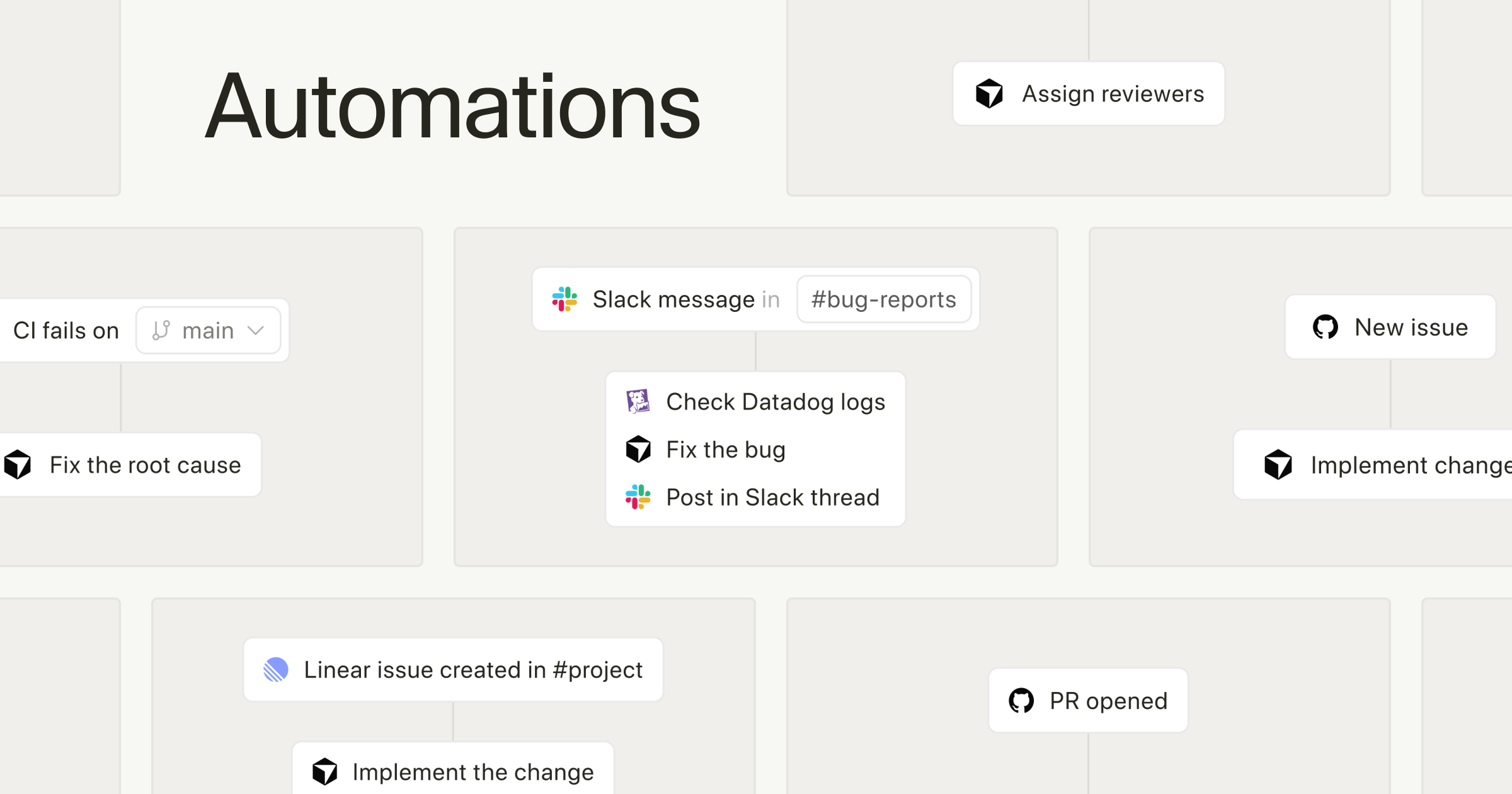
A commit lands? The agent starts a code review on its own. A bug report hits Slack? The agent analyzes the root cause and files an issue. A PagerDuty incident fires? The agent digs through logs and prepares a cause timeline plus a hotfix PR.
Jonas Nelle, Cursor's async agent engineering lead, put it well — "It's not that the human is removed entirely. You get pulled into the conveyor belt at the right moment."
The trigger sources are diverse too. There are built-in integrations with Slack, Linear, GitHub, and PagerDuty, plus you can set up custom events via webhooks. Once triggered, the agent runs in a cloud sandbox, using MCP connections and your chosen model to carry out its instructions.
One interesting detail: there's a memory tool. The agent learns from previous runs, so it actually gets better with repetition.
What Changes?
It's a shift from "prompt and wait" to "set it and forget it."
Every AI coding tool so far has been conversational. "Do this" → check the result → "Now do that." No matter how smart the agent was, a human still had to hit the run button. Automations removes that run button entirely.
| Traditional AI Coding Tools | Cursor Automations | |
|---|---|---|
| How it runs | Human types a prompt | Events trigger automatically |
| Operating hours | Only when someone's awake | 24/7, always on |
| Code review | One-off, on request | Auto on every PR + deep security audit |
| Incident response | Human investigates manually | PagerDuty → auto log analysis + hotfix PR |
| Repetitive tasks | Manual each time | Schedule or event-based repetition |
Cursor actually ran this on their own codebase for several weeks, and found two main categories of use.
First, review & monitoring. Bugbot was the original — it runs every time a PR is opened or updated, fires thousands of times a day, and has caught millions of bugs so far. Automations extends this to security reviews (runs on every push to main), agentic code owners (auto-classifies PR risk level + auto-assigns reviewers), and incident response (PagerDuty → Datadog MCP for log investigation → Slack notification + hotfix PR).
Second, grunt work automation. A weekly digest that posts codebase change summaries to Slack. A daily agent that finds gaps in test coverage and adds tests. A triage agent that picks up bug reports from Slack, checks for duplicates, creates a Linear issue, analyzes the root cause, and even attempts a fix.
Cursor is processing hundreds of Automations per hour. This goes well beyond simple code review — it's automating the entire development pipeline.
Rippling's real-world use case
Rippling engineer Abhishek Singh dumps meeting notes, TODOs, and Loom links into a Slack channel throughout the day. Every 2 hours, a cron agent pulls in GitHub PRs, Jira tickets, and Slack mentions to build a clean dashboard. It even auto-creates Jira issues and Confluence summaries.
Getting Started
- Make sure you're on the latest Cursor version
Automations runs on cloud agents. Confirm your Cursor desktop app is up to date. - Create from the Automations page
Head tocursor.com/automations, or start from a template in the marketplace. - Set up your triggers
Connect your event source — Slack, Linear, GitHub, or PagerDuty. Custom webhooks work too. - Write instructions + connect MCPs
Describe what the agent should do in plain language, and connect any MCPs you need (Datadog, Linear, etc.). You can also pick which model to use. - Run it and iterate
The agent has a memory tool, so results improve over multiple runs. Start with something simple like automated code review and expand from there.
Note: Pricing
Automations consumes cloud agent credits. You'll need at least a Cursor Pro plan, and costs can increase depending on how many automations you run. Check the plan that fits your team size.
Market Context: Why Now
The timing of Cursor Automations is no coincidence. OpenAI upgraded Codex, and Anthropic added voice mode to Claude Code. The AI coding tool battlefield has shifted from "how smart is the code it writes" to "how autonomously can it run the development pipeline."
The numbers back this up. According to Bloomberg, Cursor's annual revenue has crossed $2 billion, doubling in just 3 months. Per Ramp data, Cursor holds a steady ~25% share among generative AI software buyers.