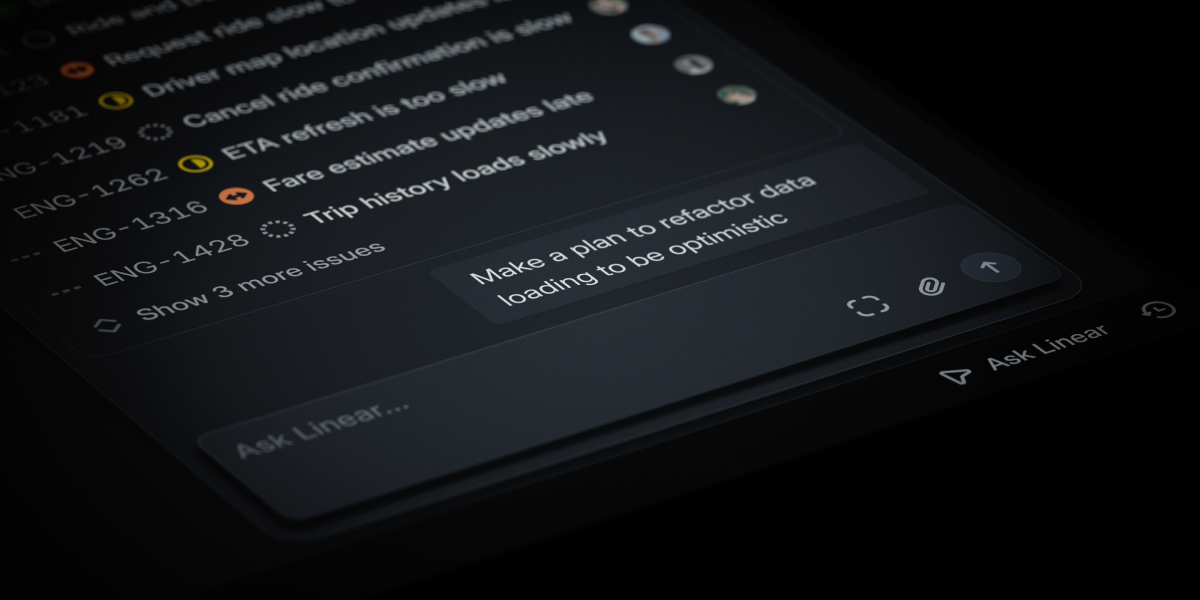
On March 24, 2026, Linear dropped a line that shook an entire category — "Issue tracking is dead." That came straight from CEO Karri Saarinen, and it's not just marketing copy. It's a declaration backed by Linear's own data. Over 75% of enterprise workspaces have already installed AI engineering agents, and 25% of all new issues are being created by agents, not humans. The handoff model — PM scopes it, engineer picks it up, everyone negotiates priority — is collapsing. Linear Agent is the first card played to fill that gap. "Hey @Linear, create an issue from this conversation and assign it to me" now works in Slack, and one Cmd+J opens the agent from anywhere. With automation wired into the Triage stage — the moment an issue enters the system, the agent handles classification, summarization, and assignment.
What Does "Issue Tracking Is Dead" Actually Mean?
Linear's argument is simple: the handoff model is over. The old flow was PM scopes → engineer picks up → priority negotiation → workflows patch the gaps. But as AI agents started writing code directly, that gap disappeared. What's needed instead is a "context system" — a single place where customer feedback, internal ideas, strategic decisions, and the codebase all live together so agents can read it and act on it.
Department of Product nails the analysis — when Cursor expands into PM tools and Claude Code adds PM features, the boundary between PM, design, and engineering tools collapses entirely. Linear is betting it can become the "home of context."
The Register framed this announcement as "agentic AI adoption." Worth noting that Linear was founded in 2019, before ChatGPT existed — which makes it one of the rare pre-AI companies to successfully reposition as an agent-native business. This isn't just a feature addition; they've changed the product's identity.
- Linear Agent (launched 3/24)
Knows your full workspace context (threads, backlog, customer requests) and understands your code. Call it anywhere with Cmd/Ctrl+J. Supports Slack, MS Teams, iOS, and web. - Skills
Turn useful conversation flows into reusable commands with "save this." Call them with slash commands, or Linear figures out when to use them automatically. Included in all plans. - Automations
Agent workflows trigger automatically the moment an issue enters Triage. Summarizes customer impact, detects duplicate issues, auto-assigns. Business and Enterprise plans only. - Code Intelligence (coming soon)
Extends the agent's understanding into your codebase. Non-technical PMs and designers can ask "how does this feature work?" or "who owns this?" without pinging an engineer.
Pricing is free for everyone during beta. At GA, chat features (in-app, comments, Slack, Teams) will be included in base seat pricing, while high-compute features like Automations and Code Intelligence may shift to usage-based pricing above a certain threshold. Similar model to PostHog Max AI.
So What Actually Changes in Issue Triage?
Here's what it looks like when the same bug report comes in — comparing last year's flow to Linear Agent + Automations today.
| Stage | Before 2025 | 2026 Linear Agent |
|---|---|---|
| Issue Creation | PM reads Slack thread, manually summarizes → pastes into Linear | "@Linear create an issue from this conversation" → issue auto-created with full context preserved |
| Triage Entry | On-call engineer reads 30–50 new issues daily and categorizes them | Automation attaches customer impact summary and category label the moment it arrives |
| Duplicate Detection | Only experienced PMs catch "isn't this the same as that other issue?" | Agent auto-groups similar issues from the backlog, suggests merges |
| Code Mapping | "Where's the code for this feature?" → ping an engineer on Slack | Code Intelligence auto-surfaces relevant modules, identifies owner |
| Assignment | Debate in standup about who takes it → manager decides | Triage Rules + Agent recommends candidates based on availability and expertise |
Coinbase came out as an early adopter with a public case study. They used the phrase "the hidden tax of asking questions" — meaning the time employees burn on Slack asking "how does this work?" and waiting for answers. Code Intelligence cuts that. The Engineering Head wrote it up directly, and they're cited as a case of an entire company switching to "agent-first development."
Per the JellyFish Engineering Trends report, companies that have aggressively adopted AI already have 10% of their PRs fully AI-generated. Linear's own data puts 25% of new issues as agent-written. That's the quantitative case behind "issue tracking is dead."
① Still in beta. Some responses may be inaccurate or miss context. ② Code Intelligence is still "coming soon" — actual code understanding quality hasn't been validated yet. ③ Automations and Code Intelligence are Business/Enterprise only. Free plan gets chat only. ④ Cursor and Claude Code are expanding into the same context territory, so whether Linear can hold the "home of context" position will take another 12–18 months to play out. ⑤ The 25% and 75% stats are self-reported by Linear — not externally audited.
So How Do You Actually Roll This Out for Your Team?
If you're already on Linear, activating the Agent takes under a minute. Getting real value out of it means reworking your Triage workflow alongside it.
- Activate Linear Agent
Workspace Settings → AI → turn on Linear Agent. Cmd/Ctrl+J from the desktop app, or the icon in the bottom right. Free for all plans during beta. - Connect Slack/Teams
Install so@Linearmentions work in Slack. Drop it in your customer feedback channel and "create an issue from this conversation" will generate context-preserved issues instantly. - Rework Your Triage Rules
Revisit your existing routing rules to work alongside Agent. Use newly added actions like "removing assignee." Set it up so Agent suggests labels and priority as issues come in, and a human reviews. - Register 5 Skills
Take your team's most frequent workflows (e.g., "extract recurring themes from this cycle's backlog," "group customer requests and draft the top 3 issues") — have one conversation with Agent, then save as a Skill. From the next sprint, call it with a slash command.
One important caveat — Linear Agent doesn't automate the PM's job. It cuts the repetitive work of classification, summarization, and mapping so PMs can spend more time on judgment, priority, and trade-off decisions. As Karri put it: "When execution speeds up, the bottleneck shifts to judgment — deciding exactly what to build, and where to spend the team's time, attention, and tokens." That's the real evolution of the PM role.
And the long-term implications matter. The PM tool category is being reshuffled. Jira gets heavier, Linear goes for context OS, and coding agents like Cursor and Claude Code are pushing into PM territory. By end of 2026, the lines between "issue tracker vs IDE vs design tool" will blur further. Getting hands-on with Linear Agent now is like staking out context in the next category consolidation before it happens.
Deep Dive Resources
Linear Official — Introducing Linear Agent (3/24 changelog) Primary source covering all four pillars: Agent, Skills, Automations, and Code Intelligence. Includes the Cmd+J shortcut, Slack/Teams integration, and beta pricing details. linear.app
Department of Product — Linear says Issue Tracking is Dead Rich Holmes's analysis. PM-perspective breakdown of 75% enterprise adoption, 25% agent-written issues, the Coinbase case, and the competitive threat from Cursor and Claude Code. departmentofproduct.substack.com
The Register — Linear adopts agentic AI as CEO declares issue tracking dead Industry press with a critical eye. Covers beta limitations, potential pricing changes, and how competitors are responding. theregister.com
Linear Next — Issue tracking is dead manifesto Karri Saarinen's own vision piece. The philosophical case for why handoff model → context system is inevitable. linear.app