Loading...

Motion skill · rossark-motion-skill

Left to a coding AI, the mascot froze for 4.5 seconds. Given an animator's principles, it never stopped moving

The rossark-motion skill plugs into Claude Code or Codex and hands the agent three things: an animator's principles, a motion engine, and a tool that measures every frame. The video at the top comes from a tutorial channel that had the same mascot scene built twice, once without the skill and once after reading it, then set the two side by side. We also collected other cases, including a developer who added the skill to their own workout app's mascot and shipped it the day it came out.

Oct 26, 2026·3 cases

Side-by-side comparison of the same orange mascot, built without the skill (left) and after reading the skill (right)
A comparison video from the tutorial channel WifiCoding. From 1:21, the left side is without the skill and the right side is after reading it. Source: WifiCoding YouTube

Indie app developer ROSS released the skill on October 22. The repository says the demos were made entirely in code from templates, both the artwork and the motion. ROSS came up with the method while trying to animate the illustrations on their own app's onboarding and payment screens, and wrote in the launch post: “@rive_app is overkill. i just want my apps to feel alive.” Rive is a professional tool for building app animations.

Four days later, on October 26, the launch post had passed 166,000 views, and more people had saved it (3,343 bookmarks) than liked it (2,034). On the evening of launch day, a French-speaking developer added the skill to the coach mascot in their workout-tracking app and shipped it.

The skill includes 12 animator's principles (drive the whole scene from one clock, squash and then stretch back on landing, close a blink in about 110 milliseconds and open it in 190, and more), motion engines for React Native and SwiftUI, and a tool that measures the result frame by frame. There's no web template, but the docs say the same method works on the web. It's free (MIT license).
Reference 01SachaRM7, a developer who built and uses the workout-tracking web app SachaRbone Fit · GitHub

A workout app's coach mascot used to just stand there. The day the skill came out, it went live breathing and cheering

About five hours after the skill went public, SachaRM7 merged and deployed a pull request (PR) that brought the app's coach mascot to life. In three states, ready, resting, and cheering, the mascot breathes gently and tilts a little. The cheer plays only once. All motion stops when the mascot is off screen, when the tab is hidden, or when Reduce Motion is turned on in the device settings. Where the mascot shows up very small, it stays a still image, and no new libraries were added.

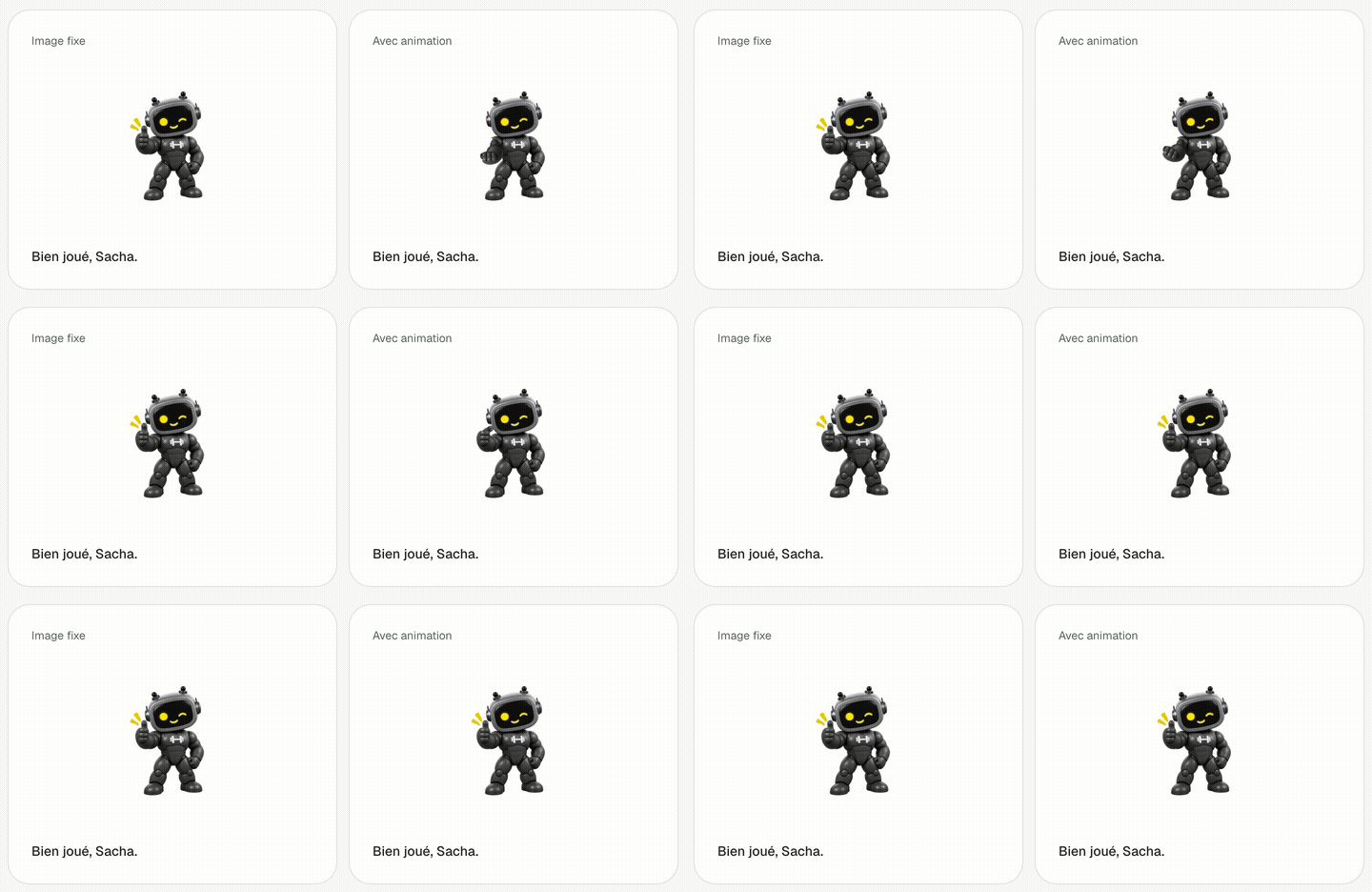
In the first PR, they wrote: “Les images restent aplaties: yeux et bras ne bougent pas indépendamment. (The images are flattened into one, so the eyes and arms can't move on their own.)” In a follow-up PR, they split the arm and thumb out of the artwork so each could move separately, and added a motion where the body stays still, the forearm rises, and the thumb opens over 1.8 seconds. On the comparison page that's now public, you can watch the coach raise a clenched fist and give a thumbs-up next to the still image, at the sizes the app actually uses: the workout screen (40px), home (72px), and the coach screen (120px).

SachaRbone Fit's mascot comparison page. Next to the still image on the left, the coach on the right raises a clenched fist from below and then gives a thumbs-up
The “Bien joué” (Well done) state on the public comparison page (/mascotte), recorded on Oct 26, 2026. Left is the still image, right is the animated version. Source: SachaRbone Fit

Reference 02Tutorial · WifiCoding, a YouTube channel that covers Claude Code repositories (Claude drew the mascot as a test subject)

Without the skill, the mascot froze for 4.5 seconds. With it, the mascot never stopped: crouch, jump, land

WifiCoding had Claude draw a small orange mascot, then build the same 10-second scene twice: the mascot looks around, blinks, jumps, and catches an envelope. Once without the skill, and once after reading it.

The version built without the skill made seven mistakes. Five separate timers ran instead of one shared clock. Every pose came to a dead stop. For 4.5 seconds, the body didn't move at all. The mascot didn't crouch before the jump or squash on landing, the leaf didn't sway with the jump, and the eyes didn't follow the envelope. With the skill on, the mascot crouched before jumping and squashed, then stretched back, on landing. Measured with the tool that comes with the skill, the longest stretch where the body stood still dropped from 4.5 seconds to 0.3 seconds.

The channel closed with this: “the difference between the left and the right is exactly the difference between something animated and something alive.”

Reference 03Official demos · ROSS, the indie app developer who made the skill

In ROSS's own demos, watering makes a flower bloom, and a flipped pancake lands on the chef's hat before sliding back into the pan

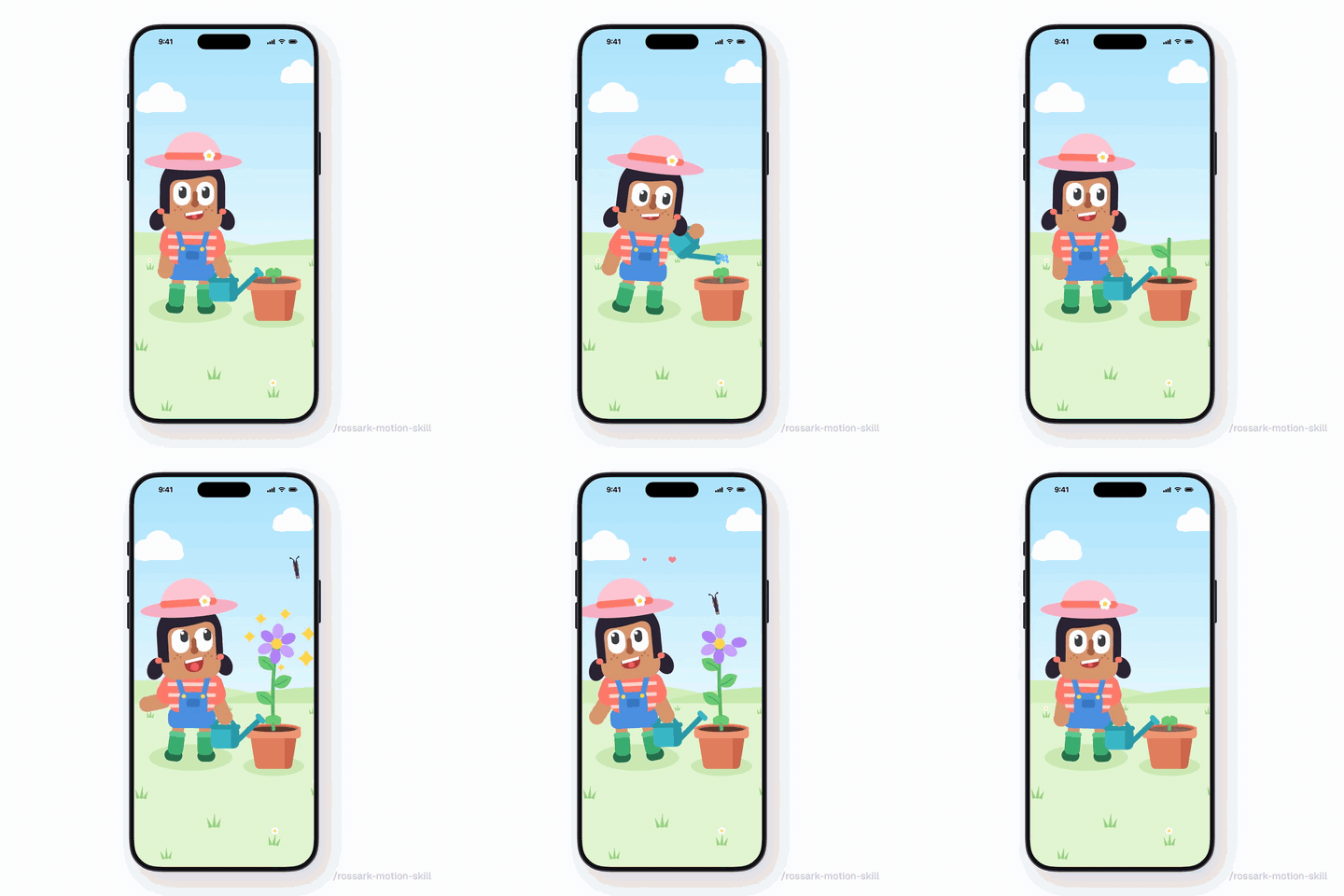
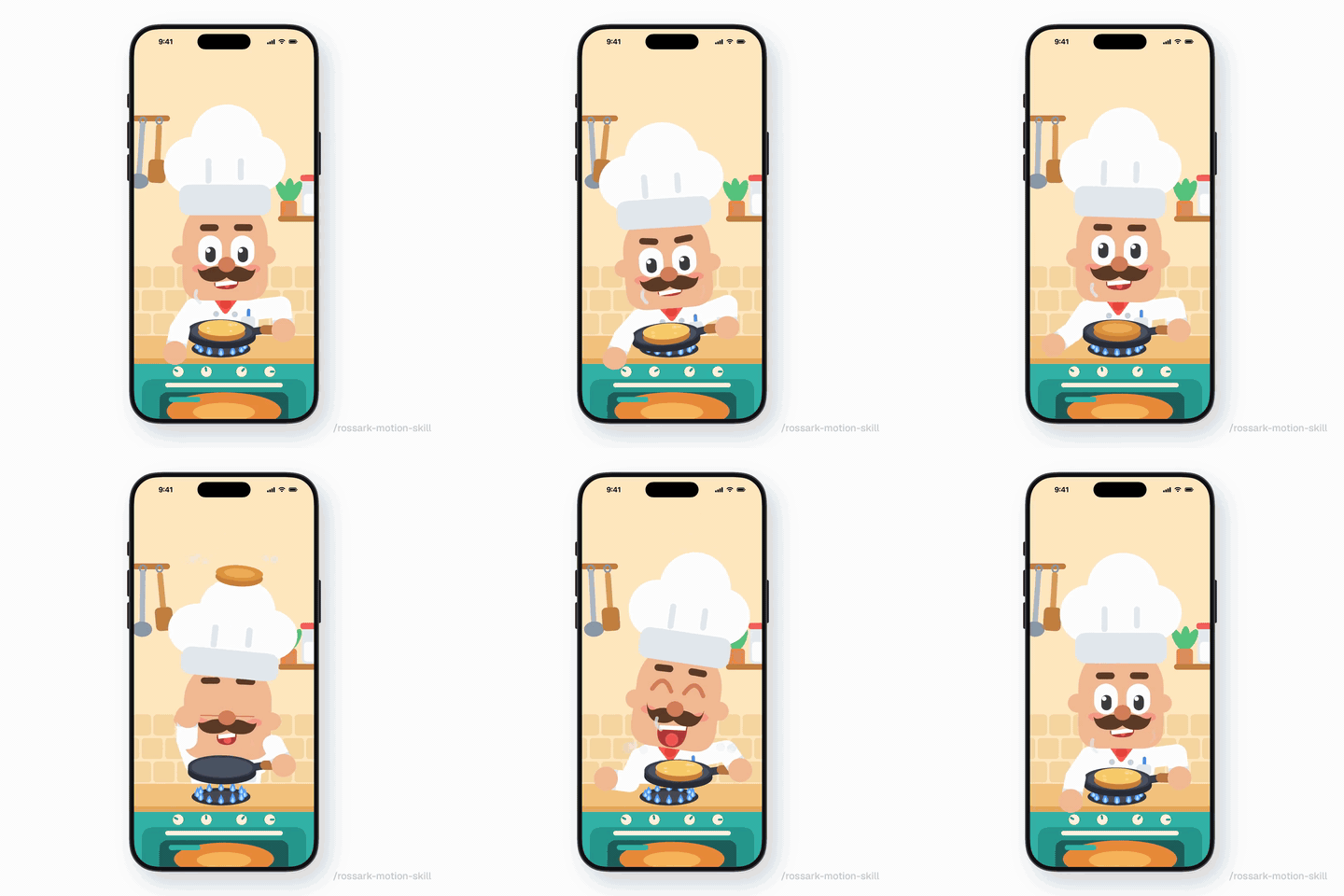
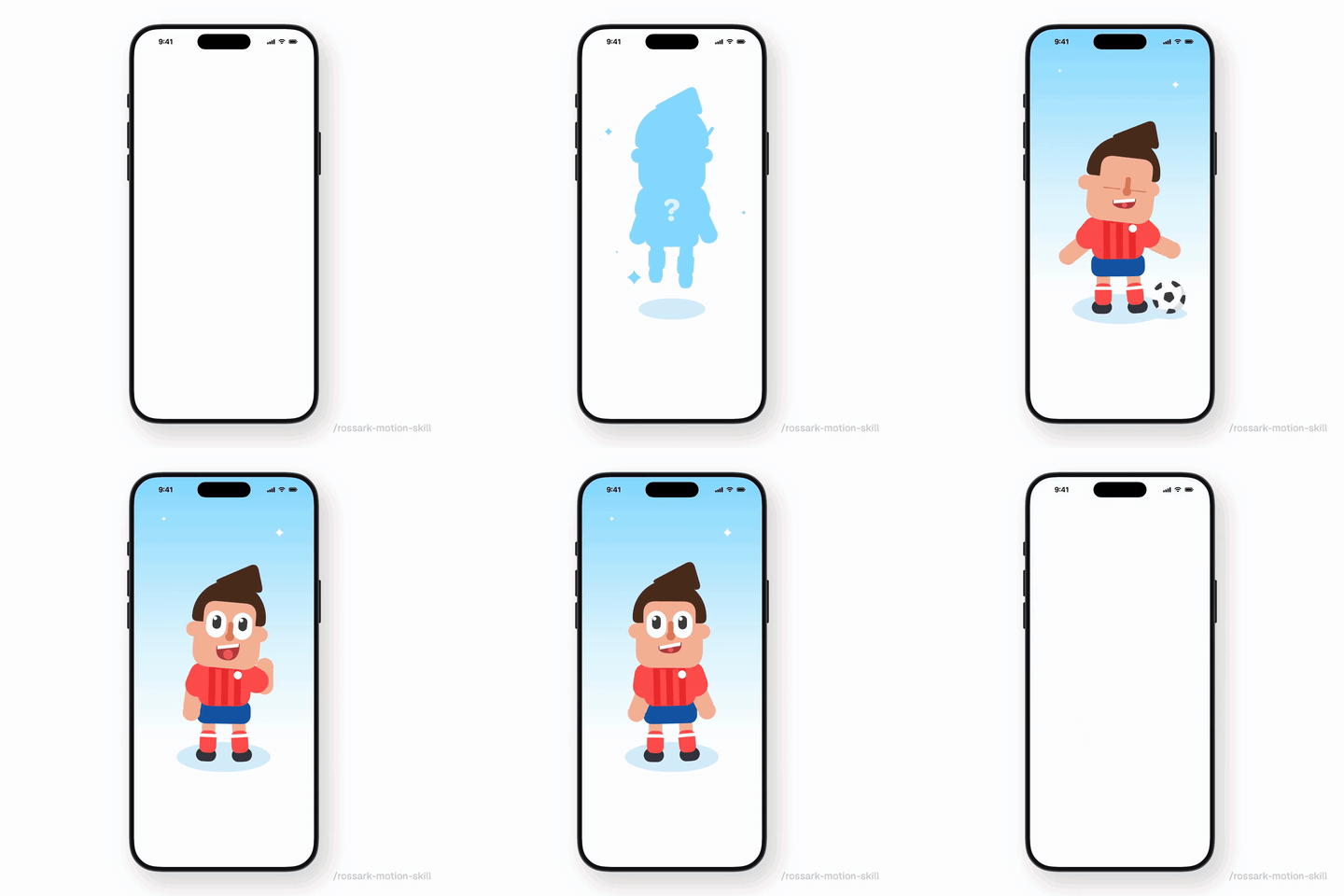
Besides Reveal, where a kid drops into a phone screen, kicks a ball, and waves, the repository has more demos. Garden is a 10-second scene: a girl waters a sprout, it grows and blooms, a butterfly flies in, then the petals fall and it goes back to being a sprout. Chef is a 9.6-second scene: the cook flips a pancake a second time, it lands on the chef's hat, then slides back into the pan.

Official demo Reveal GIF. A kid in a red striped shirt drops into a phone screen, kicks a ball, and waves, in a 9-second loop
The official Reveal demo. Source: rossark-motion-skill GitHub
Official demo Garden GIF. A girl waters a sprout, it grows and blooms, and a butterfly flies in
The official Garden demo. Source: rossark-motion-skill GitHub
Official demo Chef GIF. A pancake flipped by the cook lands on the chef's hat and slides back into the pan
The official Chef demo. Source: rossark-motion-skill GitHub

How people reacted

What people liked

  • “使うと効く場面 ・キャラやマスコットを、待機中も生きてるように見せたいとき ・連打や動きの途中で触られる要素(ガクガク → ふわっと1回で着地) ・跳ねる・着地など、重さを出したい動き”

    Where it helps: when you want a character or mascot to look alive even while idle; elements that get tapped repeatedly or in the middle of an animation (jerky → one soft landing); motions that should feel weighty, like bouncing and landing

    A web engineer who wrote a book on Codex, posting after comparing Codex with and without the skill in a 21-second side-by-side video. The test was done on the web.

    Sunagaku (@suna_gaku) · Xx.com
  • “a tiny bit of motion makes a half-built app feel alive. smart skill to have around”

    A reply from a developer building an iPhone app in public, posted under the creator's video of the skill animating the characters in their apps.

    Cupsey(@cupseycode) · Xx.com

What fell short

  • “効かない場面 ・ボタン、タブ、単純なアイコン(素の Codex で十分) ・派手さを出したいとき(控えめな動きになる) トークン消費は約 1.4 倍。影や瞬きなど細かい部分は少し手直しが必要でした”

    Where it doesn't help: buttons, tabs, and simple icons (plain Codex is enough); when you want something flashy (the motion comes out restrained). Token use is about 1.4x. Small details like shadows and blinks needed a bit of manual touch-up.

    Sunagaku (@suna_gaku) · Xx.com
  • “It is a method, not magic, so you still need to look at the result. And Claude told me itself that it did not watch the two videos. It checked the frames and the numbers instead.”

    WifiCoding · YouTubeyoutube.com
  • “Really want to use this, but my mascot is just PNG assets”

    A reply to the launch post from a solo developer building a budgeting app.

    İlker(@piecheckapp) · Xx.com

How to start

Paste the prompt below into a coding agent like Claude Code or Codex. The artwork you want to animate needs to be an SVG with the eyes, arms, and body as separate parts. That way each part can move on its own.

  1. Starter prompt

    Read https://www.working-ref.com/en/reference/rossark-motion-2026-10 and install the rossark0/rossark-motion-skill skill from GitHub. Then look at the artwork and screens in my project and suggest three things that would be good to animate. When I pick one, start right away. If nothing fits, start with the mascot breathing and blinking while it's idle. Work only with original artwork I own, not other people's characters, and make the result something I can check right away in the browser or on the app screen.

Share this reference

Weekly · Free

Was this reference helpful?

The week in AI: the BEST
just 3, straight to your inbox

Work Smarter with AI

420 readers get it every week

You're in See you in your inbox with the next issue.