Loading...

AI video editor · HyperFrames Studio

A podcaster handed a 25-minute episode to a coding AI, drew and typed fixes right on the screen, and had an edit with intro and captions in one day

Give HyperFrames Studio a website URL or footage you've already shot, and the Claude Code or Codex you've connected builds a video and drops it on the timeline. If a scene isn't right, draw on it with a pen or leave a comment, and the AI fixes that spot. The app is free. Here are cases from people who used it for real work.

Oct 19, 2026·2 cases

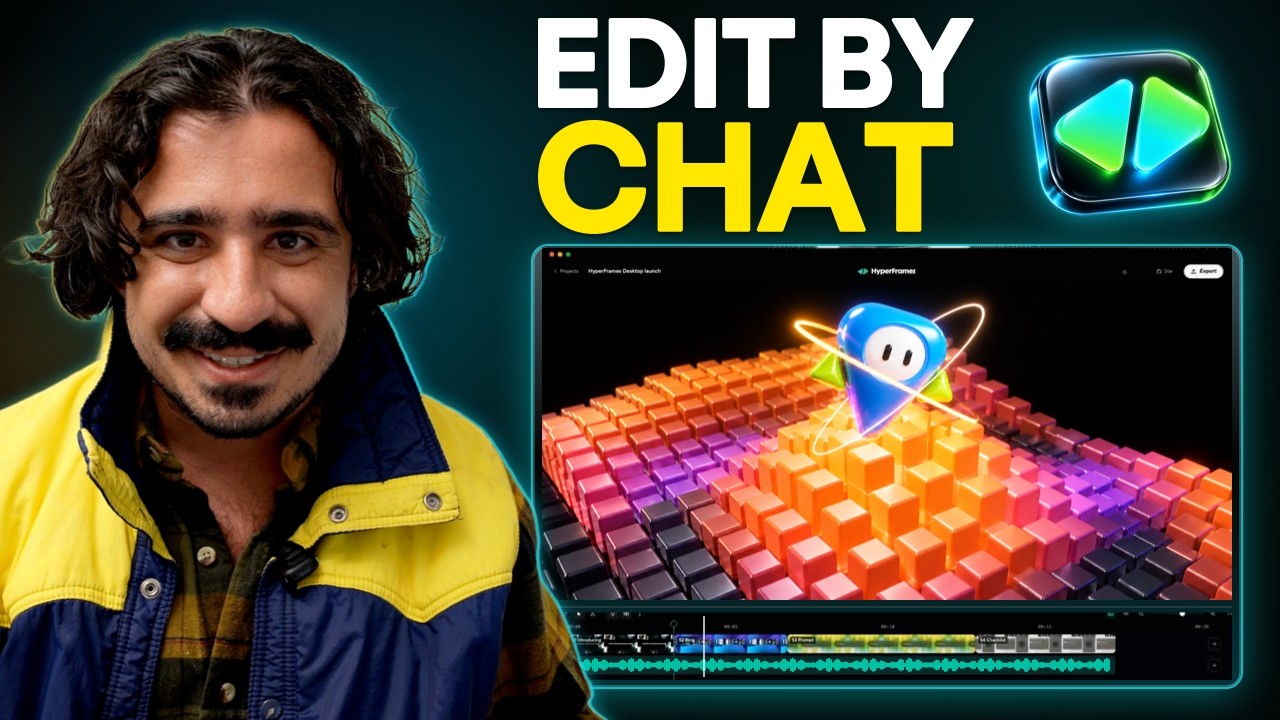
A 15-minute-29-second walkthrough by Tenex's Anthony Dupont-Cinko showing videos made with HyperFrames Studio and how the process went
It opens with a reel of what Cinko made in Studio. Source: Tenex YouTube

HeyGen released HyperFrames Studio on October 5, and the launch post on the official X account passed 1.67 million views. Four days later, a post went up about editing a 25-minute podcast episode and turning an Excel file into a video in under 24 hours, without opening Premiere or Final Cut even once.

The author was Anthony Dupont-Cinko, who makes the company podcast "Talk Nerdy" and blog and YouTube content at AI adoption consultancy Tenex. Cinko wrote: "Now there's a timeline, a chat box, and a pen: circle what's off, say what you want, and it fixes it. I don't think I could ever go back to writing out timestamps."

The video itself is built as code (HTML) by Claude Code or Codex, connected on your own computer. Studio shows that video on a timeline, and whatever you type, point at, draw on, or comment on gets passed to the AI to fix.
Reference 01Anthony Dupont-Cinko, who makes the podcast "Talk Nerdy" at AI adoption consultancy Tenex · X, Tenex blog

A full 25-minute podcast episode, edited with intro, captions, and archival footage, plus an Excel file turned into a slideshow video

Cinko fed in a full episode of the podcast "Talk Nerdy" and asked for an intro with old archival footage and sound effects. The entire 25-minute episode came back as an edit with an intro, captions, and archival footage. The first prompt alone got the layout, graphics, and cuts to about 85% of the finished piece Cinko had in mind. Three more prompts fixed the awkward transitions. In the same edit, the AI first filled the archival footage slots with screens showing nothing but article headlines, so Cinko had to push it to find real archival footage on the web.

Here is what Cinko did while making fixes: "I was just drawing on the screen, typing in a text box." You can watch the draw-to-edit step in the walkthrough video at the top, in the 4:30 chapter ('Draw on a frame to make edits').

On the same day, Cinko turned an Excel file into a slideshow video, a blog post into a social infographic, a newsletter page into an ad, and a webinar landing page into a promo video. A 30-second talking clip shot on a phone came back with captions, graphics, and zoom-ins, and one more prompt made it usable.

Cinko does not work for HeyGen. But Tenex is a consultancy that helps companies adopt AI, so Cinko's blog post and video also promote the company.

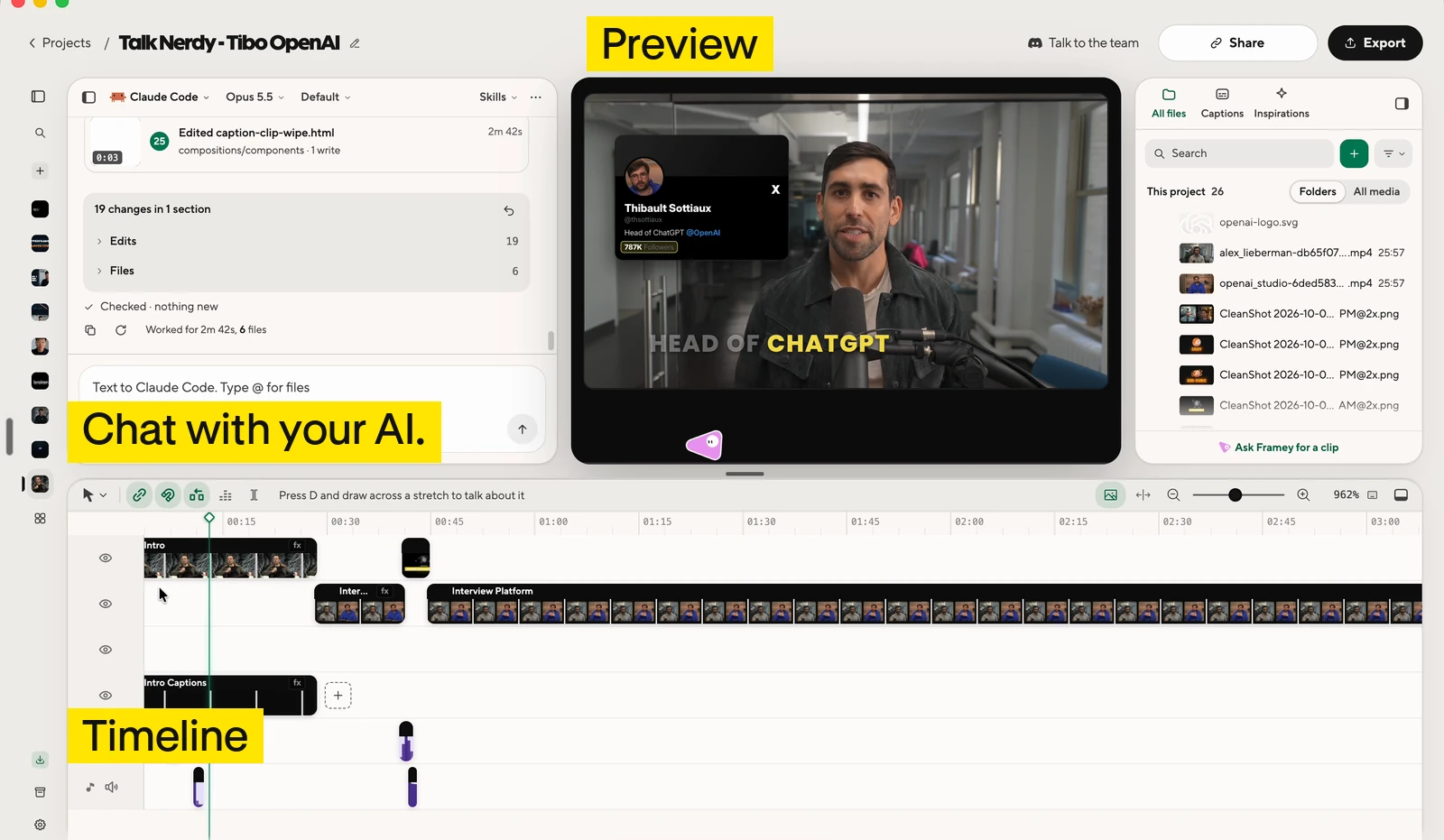
The HyperFrames Studio editor: video preview, timeline, and a chat box for talking to the AI
The Studio editor puts the preview, timeline, and chat box on one screen. Source: Tenex blog
Request to paste when editing a podcast episode · No. 15 in Cinko's prompt pack

Edit [your podcast recording filename] into a [target length]-minute [16:9 widescreen or 9:16 vertical] video for [your audience]. The source is about [source length] minutes. Focus on [main topic or purpose]. Keep each speaker's meaning, caveats, and natural delivery. Do not fabricate speech or use a cut that changes a claim. Keep the speakers visible for most of the episode. Preserve their names and roles: [names and roles]. First transcribe the full recording, or use the attached timed transcript. Check important names and numbers. Propose the sections to keep and cut, with source timestamps. Wait for my OK before changing the spoken edit. After approval: - Remove repeated points, false starts, and distracting dead time. Keep pauses and reactions that affect the meaning or mood. Do not shorten every breath. - Make clean audio edits that do not cut through words. Avoid unnecessary transitions between ordinary cuts. - Add titles at section changes and quotes or diagrams where they explain a point. Use [your brand colors] and [your font]. Keep text away from faces. - Use real archival footage only where it clarifies a specific point. Start with my supplied clips and sources. If search is available, propose usable real footage with its source and usage terms before adding it. - Do not substitute generated footage for requested archival footage. If footage is unavailable, keep the speaker visible and list the gap. - Keep speech clear. Add music only if I supplied it or approved the track. Save a cut list and an asset list in NOTES.md, including source timestamps, footage URLs, known usage terms, and where each asset appears. Work in sections if the episode is too long for one pass. Show me the preview. After my approval, run the project checks and export an MP4.

One of 16 requests Cinko tested, compiled, and published free on GitHub. Per the pack's description, it was checked against the official docs, but this exact wording has not been re-run to generate a test video. Swap the bracketed fields for details about your own recording. A follow-up request for replacing placeholder screens with real archival footage is in the same file.

Reference 02Matt Farmer, a creator who runs paid workshops on AI video editing · YouTube

One workshop landing page in, a complete promo video out, and still editable by hand

Matt Farmer put the landing page for the "Vibe Editing Workshop," which Farmer ran on October 13–14, into Studio. Six days before the workshop, Farmer posted the promo video made by the AI connected to Studio as a Short, with this note: "I gave it my workshop landing page and it made the whole promo, and you can still go in and edit it."

Matt Farmer's Short showing a workshop promo video made with HyperFrames Studio

How people reacted

What people liked

  • “HyperFrames Studio is the easiest on-ramp to AI video editing I've ever seen. It's like what Canva did for democratizing design.”

    Anthony Dupont-Cinko · Xx.com
  • “Honestly, they rival CapCut.”

    About the captions Studio adds.

    Anthony Dupont-Cinko · Tenex blogtenex.co
  • “More than one AI. If you pay for both Claude and Codex, you're not stuck when one runs out of usage.”

    Anthony Dupont-Cinko · Tenex blogtenex.co
  • “The app is free and uses your existing eligible Claude or ChatGPT plan.”

    Codex is the AI you use through a ChatGPT plan.

    Matt Farmer · YouTubeyoutube.com
  • “Premiere Pro and Frame.io better step up their game!”

    Frame.io is a video collaboration tool.

    Travis Miragliotta · LinkedIn (comment on Cinko's post)linkedin.com

What fell short

  • “The default doesn't look good. You need a lot of references and detail to get something you'd want to post.”

    Anthony Dupont-Cinko · Tenex blogtenex.co
  • “It won't help with the idea. It's built to execute, not to brainstorm.”

    Anthony Dupont-Cinko · Tenex blogtenex.co
  • “That version came out better. My conclusion is that the terminal still has the higher ceiling; Studio is the easier way in.”

    Said after making the same promo video for a Pokédex app without Studio, using Claude Code (Opus 5.5) in the terminal and the video-as-code tool Remotion, and comparing the results.

    Anthony Dupont-Cinko · Tenex blogtenex.co
  • “Wait if you already live in Premiere or Final Cut. It's nowhere near as smooth yet.”

    Anthony Dupont-Cinko · Tenex blogtenex.co
  • “First they asked for all kinds of permissions and said they would record my screen (?!). I ran a test project and it clogged my hard drive by copying everything instead of referencing the originals.”

    Erik Lindgren · LinkedIn (comment on Cinko's post)linkedin.com

How to start

Download the Studio app (macOS and Linux), sign in with a HeyGen account, and connect Claude Code or Codex. Then paste the request below into the app's chat. The app is free. The AI subscription is a separate cost.

  1. Starter request

    I want to make and fix videos the way this article shows. https://www.working-ref.com/en/library/hyperframes-studio-2026-10 Suggest three videos I could make from my material [e.g., a podcast recording, an Excel file, a website URL]. Once I pick one, ask me for my brand assets, reference videos, and things to avoid before you start building. I'll mark what to fix on the screen. If nothing fits, start like the first case: turn the recording I give you into an edit with an intro and captions.

    hyperframes.dev/studio ↗

Share this reference

Weekly · Free

Was this reference helpful?

The week in AI: the BEST
just 3, straight to your inbox

Work Smarter with AI

420 readers get it every week

You're in See you in your inbox with the next issue.