AI-generated video is truly here. But the problem is there are too many tools. Seedance, Sora, Kling — all three claim to be "the best," so which one should you actually use? We dug through hundreds of reviews and comparison tests to find out. The answer depends on what you're making.
What Is It?
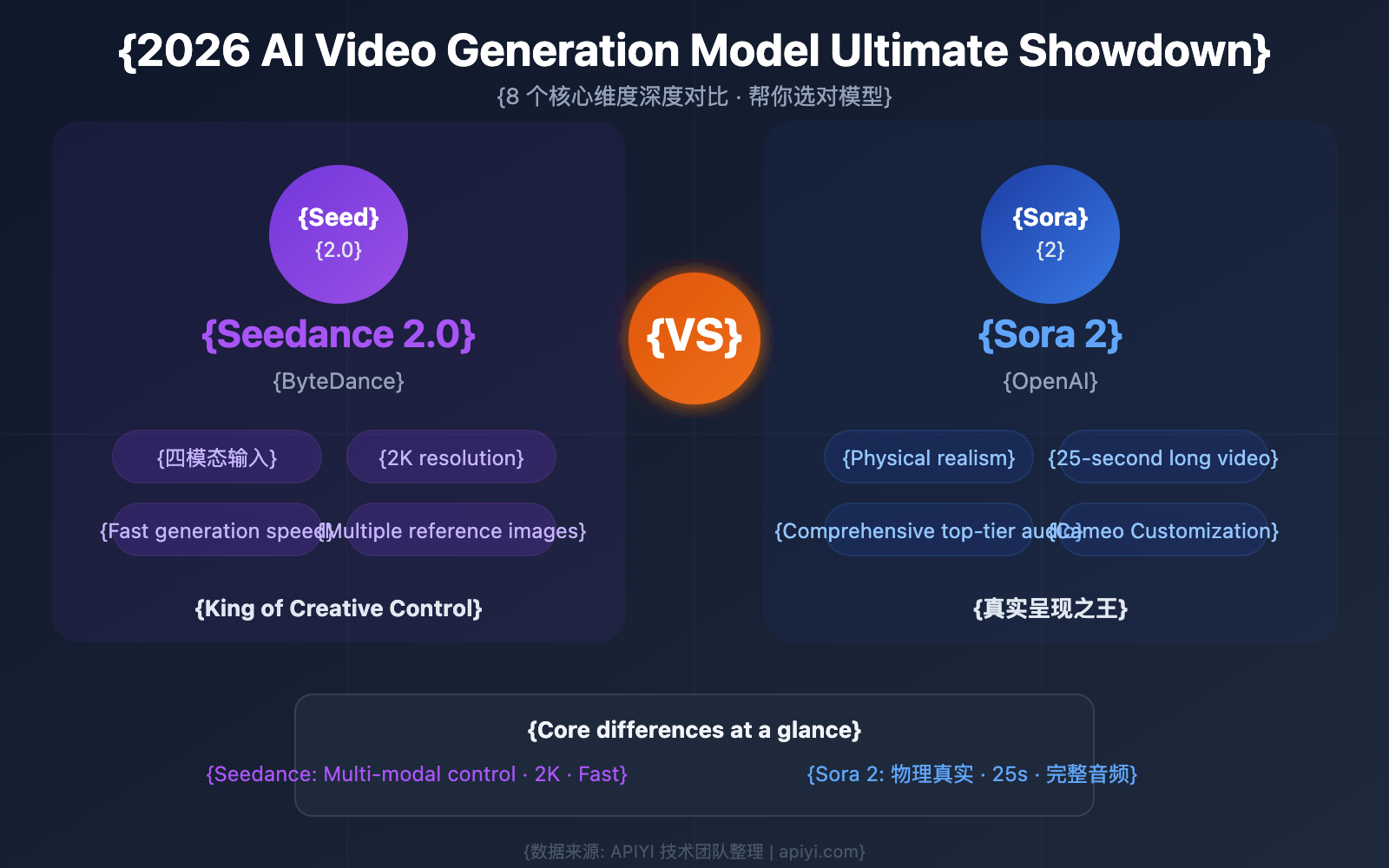
As of February 2026, the AI video generation market is effectively a three-way race: ByteDance's Seedance 2.0, OpenAI's Sora 2, and Kuaishou's Kling 3.0. Each has completely different strengths. No single tool dominates across the board — the best tool depends on your use case.
What's interesting is each tool's DNA. Seedance was built on TikTok's massive video dataset, Sora on GPT's world understanding, and Kling on Kuaishou's short-form video expertise. That's why each excels at something completely different.
What\'s Different?
We compared all three across key criteria. On paper they look similar, but in practice the differences are clear.
| Feature | Seedance 2.0 | Sora 2 | Kling 3.0 |
|---|---|---|---|
| Developer | ByteDance | OpenAI | Kuaishou |
| Max Resolution | 2K | 1080p | 1080p (4K coming) |
| Max Length | 15s | 12s | 10s (up to 3 min with extend) |
| Core Strength | Multimodal control | Physics accuracy | Human motion quality |
| Native Audio | Yes | Yes | Yes |
| Image Input | Up to 9 | 1 | 1–2 |
| Video Reference | Up to 3 | No | No |
| Audio Input | Up to 3 | No | No |
| Watermark | None | Yes | None on paid plans |
| Price (monthly) | Free trial / Pro ~$9 | $20 (ChatGPT Plus) | Free trial / $6.99+ |
| 10s video cost (API) | ~$0.60 | ~$1.00 | ~$0.50 |
On specs alone Seedance looks like the leader, but real-world performance is more nuanced.
| Category | Seedance 2.0 | Sora 2 | Kling 3.0 |
|---|---|---|---|
| Physics Simulation | Good | Best | Very Good |
| Human Motion Quality | Very Good | Excellent | Best |
| Creative Control | Best | Basic | Good (Motion Brush) |
| Value for Money | Good | Moderate | Best |
| Ease of Entry | High (reference management) | Low (text only) | Low (intuitive) |
Think of Seedance as "the director," Sora as "the simulator," and Kling as "the actor." Because each has clear strengths, more teams are mixing and matching tools per project rather than going all-in on one.
Recommendations by Use Case
Ads & music videos → Seedance 2.0 (precise control via reference videos)
Product demos & documentary B-roll → Sora 2 (realistic physics simulation)
YouTube Shorts, TikTok & Reels → Kling 3.0 (fast, affordable, high quality)
Brand films & storytelling → Seedance 2.0 + Sora 2 combo
High-volume production → Kling 3.0 (best value per video)
Let's look at each tool's unique killer feature:
Seedance's secret weapon — the "@Reference System": Use @ in your prompt to assign images, videos, and audio individually. Something like "@Image1 as the character, following @Video1's camera work, synced to @Audio1's rhythm." No other tool offers this. The tradeoff is a steeper learning curve since you need good reference materials.
Sora's secret weapon — the Physics Engine: Sora 2 is the benchmark for physics accuracy. Gravity, momentum, collisions, deformation, fluid dynamics — all more convincing than any competitor. It has the fewest "physics hallucinations" (like water flowing upward). The catch: limited API access and higher pricing.
Kling's secret weapon — Motion Brush: Draw motion paths directly on an image to specify how individual elements should move. It's an intuitive tool for fine-grained object animation, independent of camera movement. Character consistency can be maintained with up to 4 reference images.
Good to Know
All three still have limitations. Seedance requires quality references and has a steep learning curve. Sora doesn't support character reference uploads, making it hard to maintain the same person across clips, and costs 2x the competition. Kling occasionally hits 99% generation failure bugs and has poor customer support. There is no single "perfect tool" yet.
Quick Start Guide
We recommend starting with Kling — the lowest barrier to entry and best value. Once you get the hang of it, add Seedance or Sora as needed.
- Sign Up for Kling (Free)
Create an account at klingai.com to receive 66–166 free daily credits. No credit card required. - Create Your First Video
In Text-to-Video, describe the scene you want. Example: "A woman in red dress walks through rainy Tokyo at night, neon reflections, camera slowly pans right." A 5-second clip generates in 1–3 minutes. - Level Up with Seedance
When you need precise control, try Seedance 2.0. Free credits available. Adding reference images or videos dramatically improves results. - Polish with Sora
For physically accurate realism, use Sora. Available with a ChatGPT Plus ($20/month) subscription. Especially strong for product demos and documentary B-roll. - Mix and Match by Use Case
Pro teams use Seedance for camera tests, Kling for rapid prototyping, and Sora for final high-quality renders. Rather than going all-in on one tool, combining them by purpose is the 2026 playbook.