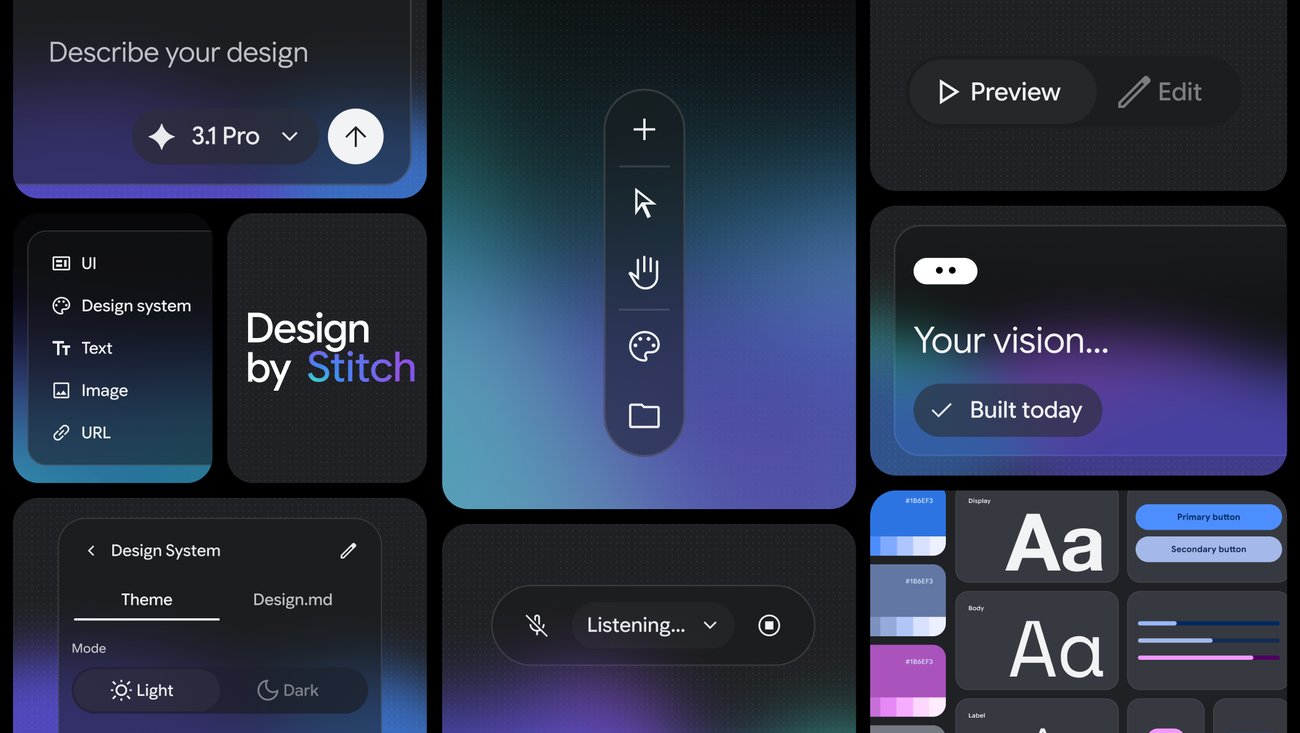
If "vibe coding" changed how we build software, design is next. Google just rebuilt Stitch, an AI canvas where you design UI with natural language. An infinite canvas where you talk and design, an AI agent that tracks your entire project context, and one click to get an interactive prototype.
What Is This?
Stitch is an AI-native design tool from Google Labs. It first appeared at Google I/O 2025 and was completely relaunched in March 2026. Google VP Josh Woodward nailed it: "AI can be a creativity multiplier, helping people explore many ideas quickly."
The core concept is "Vibe Design." Instead of starting with wireframes, you describe your business objectives. Say "create a fintech dashboard that feels trustworthy," and the AI picks colors, layouts, and components to generate high-fidelity UI. FastCompany called it a direct hit on Figma.
Here are the key new features in this update:
- AI-Native Infinite Canvas
A node-based workspace where your ideas expand freely. Drop images, text, or code snippets onto the canvas and the AI uses them as context. - Design Agent + Agent Manager
An agent that understands your entire project history. When exploring multiple design directions simultaneously, the Agent Manager tracks each one and keeps you organized. - Voice Commands (Preview)
Talk directly to your canvas. Real-time changes like "show me three menu options" or "try different color palettes on this screen." - Instant Prototyping
Connect screens with "Stitch" and hit Play for an interactive prototype. The AI analyzes click targets and even auto-generates the next screens. - DESIGN.md
A markdown format for importing and exporting design system rules. Apply the same design rules across different projects instantly.
What Changes?
Traditional UI design meant opening Figma, creating frames, placing components, setting up auto layout... all of which ate up time. Stitch flips the entire workflow.
| Traditional Tools | Google Stitch | |
|---|---|---|
| Starting point | Manual placement on blank canvas | Describe intent in natural language/voice |
| Draft speed | Hours | Minutes |
| Exploring variations | Manual duplication one by one | Parallel generation of multiple directions |
| Prototyping | Separate setup required | One-click automatic prototype |
| Price | $16+/mo (Figma Pro) | Currently free |
Stitch's biggest differentiator is "completely free + full canvas context awareness." While paid tools generate one screen per prompt, Stitch's agent understands everything on your canvas — images, text, code — and maintains consistency across your entire project.
Keep in Mind
Stitch is a Google Labs product. Long-term pricing and service continuity aren't confirmed. Analysts expect around $25-30/month when it graduates from Labs. Use it for idea exploration and concept validation rather than as a core production tool.
Getting Started: The Essentials
- Sign Up
Head to stitch.withgoogle.com and start with your Google account. It's free. - Add Context to Canvas
Describe the app you want in text, or drag reference images and code snippets onto the canvas. You can also extract design systems from existing site URLs. - Generate UI
Choose between Standard (fast) and Experimental (higher quality) modes. Start with Standard to explore multiple directions quickly. - Check Your Prototype
Connect screens and hit Play for an instant interactive prototype. The AI will even suggest next screens automatically. - Export
Connect to dev tools via MCP server or SDK, or export to Figma with layers intact.