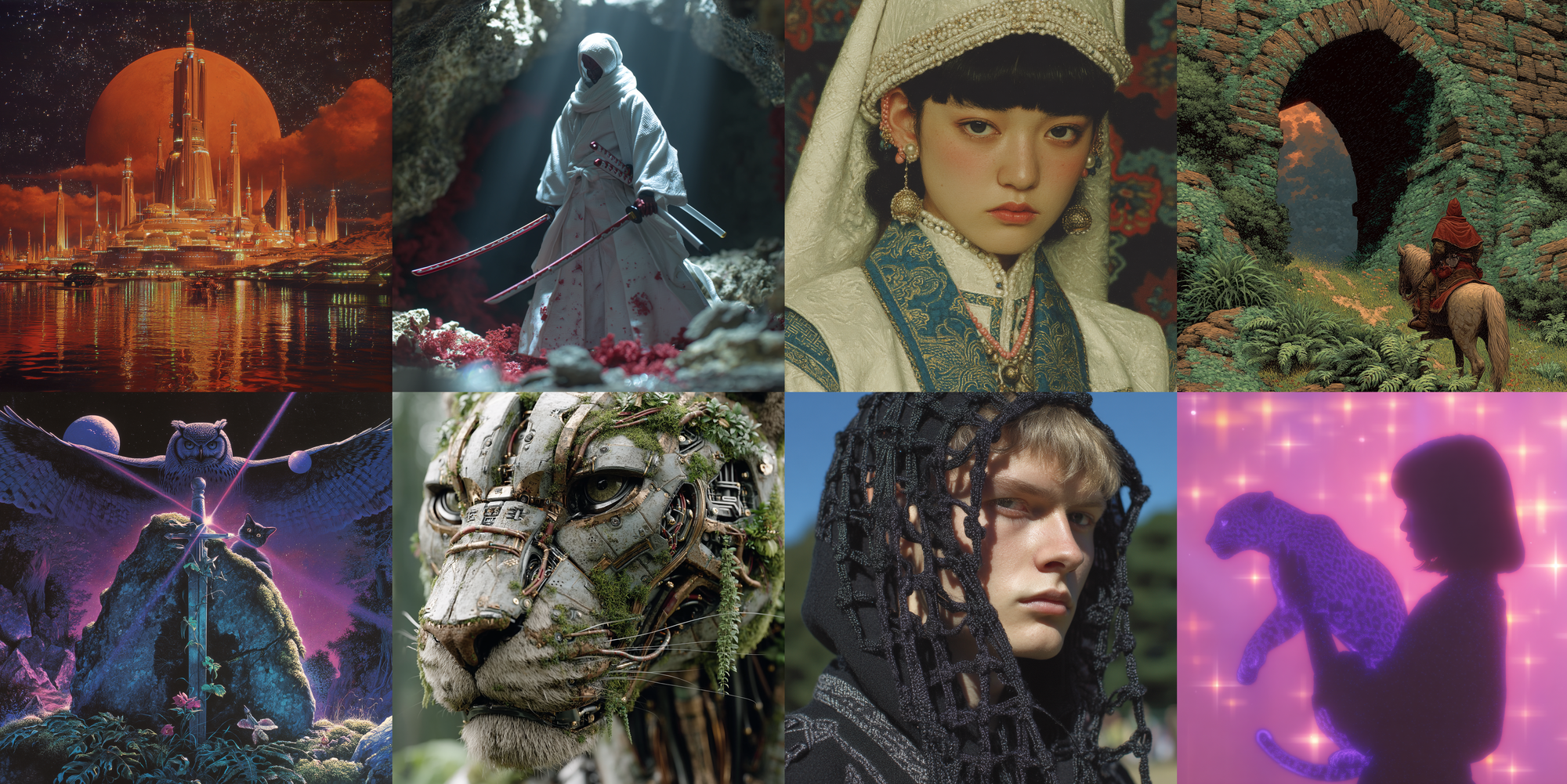
Midjourney just dropped a new model after a year. V7. But this time it's different. You can prompt with your voice, the AI remembers your taste and generates accordingly. On top of that, Draft Mode is 10x faster at half the cost. An update that changes "the default for image generation AI."
What Is This?
Midjourney V7 launched in alpha in April 2025 and became the default model on June 17. It's the first major update in nearly a year since V6, and it's not just "prettier." The way you make images has fundamentally changed.
There are three core changes:
On top of that, V7 also added Omni Reference (--oref). Feed in a reference image and it consistently maintains visual elements like characters, objects, and logos across new images. While V6's Character Reference only worked with people, Omni Reference extends to objects, scenes, and logos. And in June, video generation launched too, letting you convert still images into 5–21 second clips.
Image quality is up too. Prompt comprehension improved by 35%, and anatomical errors (like six fingers) went from "common" to "occasional." Textures are noticeably better — one fashion photographer said "you can see individual threads in a knit fabric."
What Makes It Different?
Let's compare V6 and V7 directly. It's just one version number apart, but the difference is pretty significant.
| Feature | Midjourney V6 | Midjourney V7 |
|---|---|---|
| Voice prompts | X | O (mic + multilingual) |
| Personalization | Manual opt-in (optional) | On by default (required) |
| Draft Mode | X | O (10x faster, 50% cheaper) |
| Omni Reference | Character Reference only | Characters + objects + logos + scenes |
| Video generation | X | 5–21 second clips |
| Prompt comprehension | Baseline | +35% improved |
| Hands/body accuracy | Baseline | Significantly improved |
| Text rendering | Weak | Still weak (~10% accuracy) |
Let's also compare with competing AI image generation tools. The 2025–2026 market has gotten really intense:
| Model | Key Strength | Text Rendering | Best For | Price |
|---|---|---|---|---|
| Midjourney V7 | Aesthetics, personalization, voice | Weak | Artistic visuals, brand tone | $10–$120/mo |
| GPT-4o (gpt-image-1) | Conversational editing, context understanding | Best | Text-heavy assets, iterative edits | $20/mo or API |
| Flux 2 Max | Photorealism, prompt accuracy | Good | Product photos, editorial | $0.05/image |
| Nano Banana 2 (Google) | Speed (4–6 sec), price | Very good | Mass production, quick drafts | Free–$0.067/image |
| Ideogram 3 | Typography specialist | Best (~90%) | Logos, graphic design | Free–$7/mo |
So what should you actually use?
Artistic visuals + brand consistency → Midjourney V7. 64% win rate in blind tests for cinematic fantasy scenes.
Marketing assets with text → GPT-4o. Clean text on posters and banners.
Product photo photorealism → Flux. 71% win rate for editorial shoot feel.
Fast and cheap at scale → Nano Banana 2.
To be honest though, market reaction to V7 is mixed. Magnific AI founder Javi Lopez said "It feels more like V6.2 than V7," and that take resonated widely in the community. Text rendering accuracy is still around 10%, and as competitors rapidly close the gap, reviews saying "Midjourney isn't as dominant as before" are appearing. That said, the "explore with Draft, finalize with Fast" workflow and personalization are genuinely unique.
The Essentials: How to Get Started
- Go to midjourney.com & Subscribe
Create an account at midjourney.com and pick a plan. Starting from Basic ($10/mo). V7 is already the default model, so you can use it right away with no extra setup. - Unlock Personalization
On first access, you'll see an image rating screen. Rate about 200 images as "like/dislike" (15–20 minutes) to activate personalization. Skip this and you can't use V7 at all, so make sure to complete it. - Explore Fast with Draft Mode + Voice
Add the--draftflag to your prompt or hit the Draft Mode button. Results in about 6 seconds. You can also tap the microphone icon and speak in Korean. - Upgrade Your Favorites to High Quality
Once you've got a direction from Draft, regenerate the same prompt in Fast or Turbo mode. Resolution and detail jump up dramatically. - Maintain Consistency with Omni Reference
When you get a result you love, use the--orefflag to set it as a reference image. Subsequent generations will maintain the same character, object, and style.
Good to know: Current limitations
V7 is still evolving. Text rendering accuracy is around 10% and still weak. Using Omni Reference doubles GPU costs, and it's incompatible with Vary Region or Zoom Out. Video generation is decent for artistic styles but falls short of Sora and Runway for photorealistic human motion.